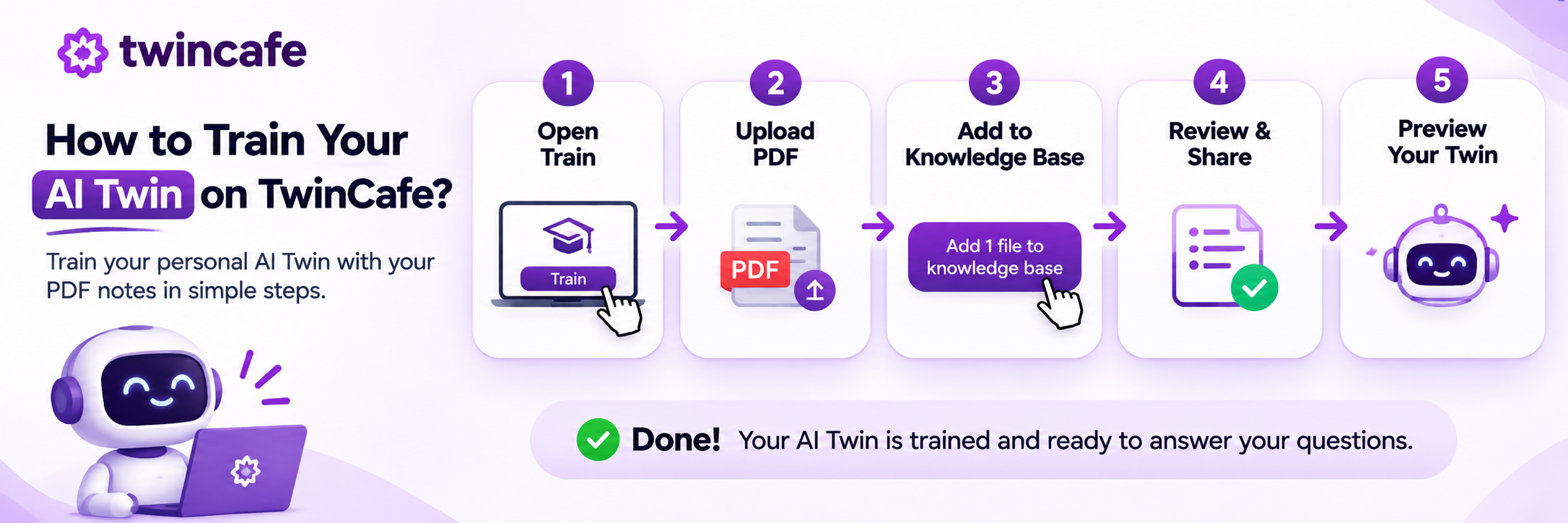
after entering the pdf upload you can chat that pdf
1. Sign in to your TwinCafe account using your phone number and OTP.
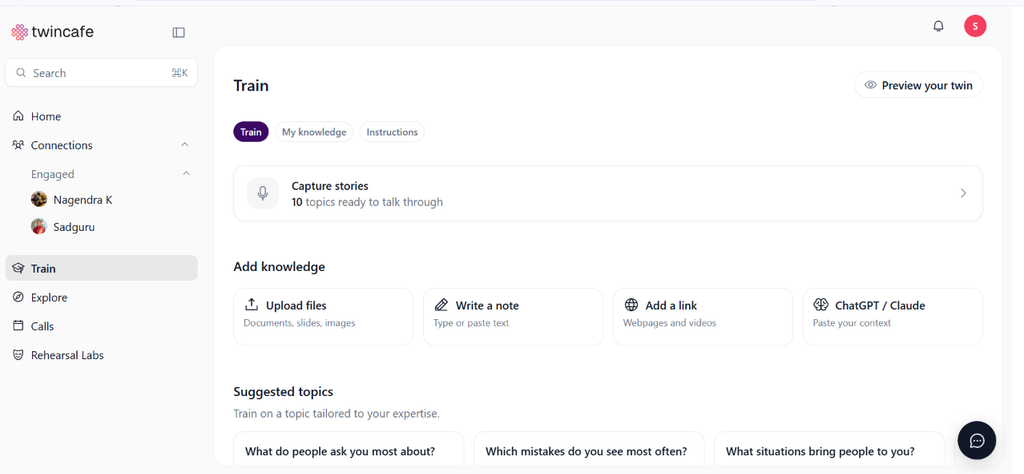
2. Open Train from the left sidebar.
3. Click Upload files under Add Knowledge.
4. Select your PDF (e.g., COMPUTER NETWORKS NOTES.pdf).
5. Click Add 1 file to knowledge base.
6. Wait while TwinCafe processes your PDF.
7. Review the AI-generated knowledge description.
8. Click Share to publish your knowledge.
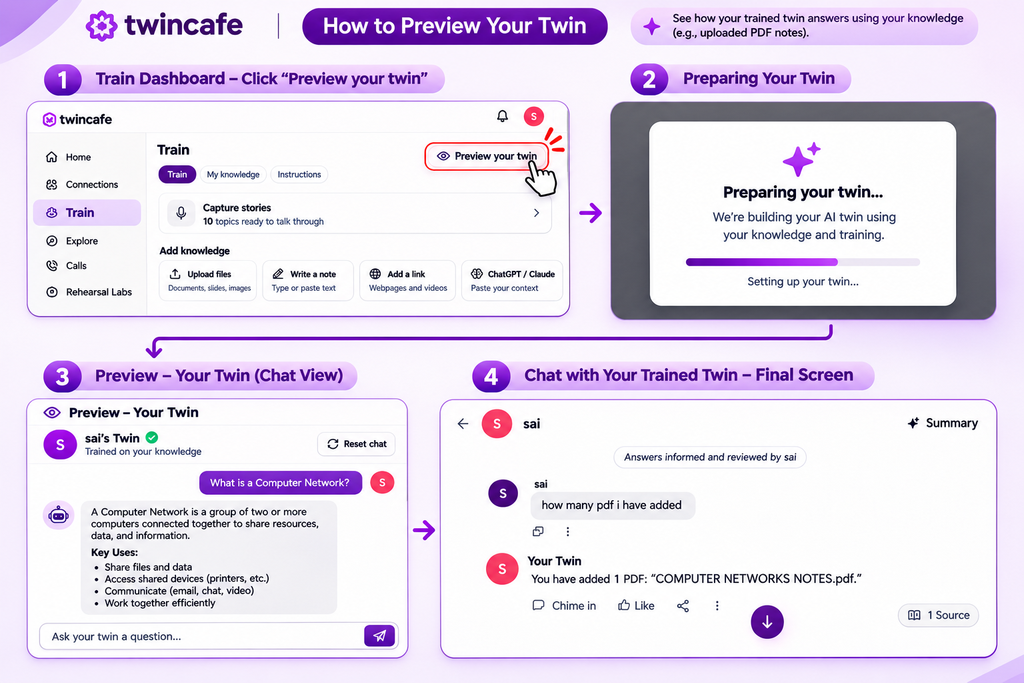
9. Click Preview your twin at the top-right corner.
10. Click Preview Twin once your AI Twin is ready.
11. Ask questions to test your AI Twin’s knowledge.
This is an sample link i have been tranied