
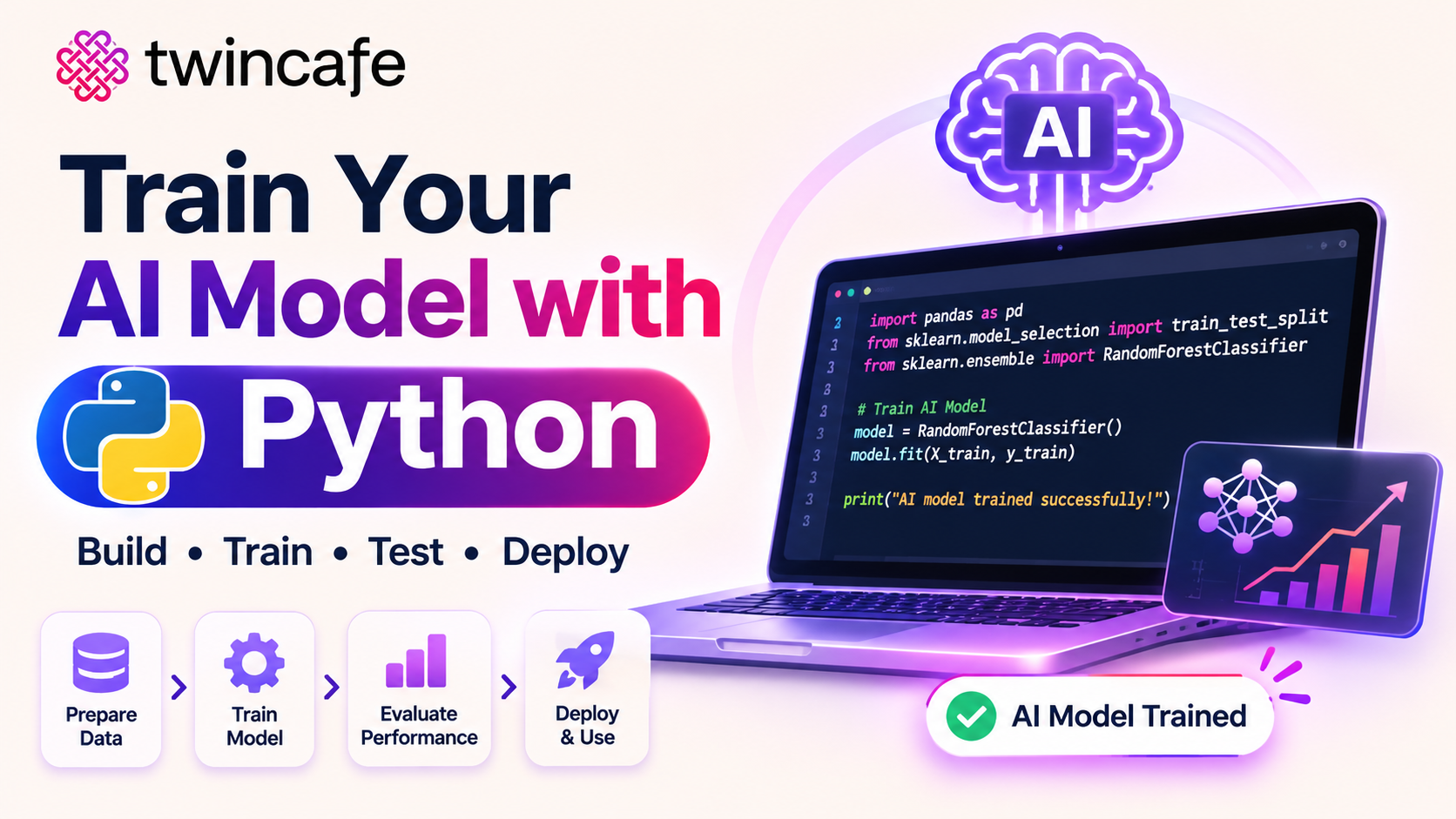
Python Programming – Complete Beginner-Friendly Explanation
Python is one of the most popular programming languages in the world. It is used by students, software developers, engineers, data scientists, artificial intelligence developers, and many technology companies.
https://www.twincafe.com/nagendra-k?referral=KhyOL_UQ
Python is a high-level programming language. This means that its code is easy for humans to read, understand, and write.
Python was created by Guido van Rossum and was first released in 1991.
The main purpose of Python is to make programming simple and understandable. Unlike some other programming languages, Python does not require complicated syntax for basic operations.
For example, if you want to print a message on the screen, you can write:
print("Hello World")Output:
Hello WorldThat’s it! You have written your first Python program.
Python is useful for beginners because:
- It has simple syntax.
- It is easy to learn.
- It supports many libraries.
- It is used in Artificial Intelligence.
- It is useful for web development.
- It supports data analysis.
- It can automate repetitive tasks.
Today, Python is widely used in education, business, software development, and research.
2. What Is a Programming Language?
A programming language is a way of communicating instructions to a computer.
Computers cannot directly understand normal human languages like English or Telugu. They work using machine-level instructions.
Programming languages help humans provide instructions to computers.
For example, imagine that you want a computer to calculate two numbers.
You can write:
a = 10
b = 20

result = a + b

print(result)
Output:
30Here, you are telling the computer to:
- Store the number 10.
- Store the number 20.
- Add both numbers.
- Display the result.
Python converts your instructions into operations that the computer can execute.
3. Features of Python
Python has many important features that make it popular.
1. Easy to Learn
Python uses simple English-like words.
Example:
print("Welcome to Python")The program is easy to understand, even for beginners.
2. Free and Open Source
Python is available for free. Anyone can download it, install it, and use it.
Developers can also contribute to improving Python.
3. Platform Independent
Python programs can run on different operating systems.
Examples:
- Windows
- Linux
- macOS
You do not need to learn a completely different programming language for each operating system.
4. Object-Oriented Programming
Python supports object-oriented programming.
This means programmers can create classes and objects to organize their code.
Example:
class Student:
    name = "Charan"

s1 = Student()

print(s1.name)
Output:
Charan5. Large Library Support
Python provides many built-in modules and external libraries.
Some popular libraries are:
- NumPy – Mathematical calculations.
- Pandas – Data analysis.
- Matplotlib – Data visualization.
- TensorFlow – Machine learning.
- Django – Web development.
- Flask – Web applications.
6. Interpreted Language
Python is commonly described as an interpreted language.
It allows developers to execute Python programs without manually compiling them into machine code.
7. Dynamically Typed
In Python, you do not need to declare the data type separately when creating a variable.
Example:
x = 100
name = "Charan"
price = 25.5
Python automatically identifies the data types.
4. Installing Python
Before writing Python programs, you need to install Python on your computer.
Follow these steps:
- Open Google Chrome.
- Visit Python Official Website.
- Download the latest stable Python version.
- Open the downloaded setup file.
- Select the option Add Python to PATH.
- Click Install Now.
- Wait until the installation finishes.
To check whether Python is installed:
Open Command Prompt and type:
python --versionExample output:
Python 3.x.xYou can also use editors such as:
- Visual Studio Code.
- PyCharm.
- IDLE.
hello, world – Python 教程 for Junior
5. First Python Program
Let’s write a simple Python program.
print("Hello World")
print("Welcome to Python Programming")
print("I am learning Python")
Output:
Hello World
Welcome to Python Programming
I am learning Python
Explanation:
The print() function displays information on the screen.
You can print:
- Text
- Numbers
- Calculations
- Variables
- Results
Example:
print(10)
print(10 + 20)
print(50 - 10)
Output:
10
30
40
6. Python Variables
A variable is a name used to store information in a program.
Think about a school attendance sheet.
It contains:
- Student name
- Roll number
- Branch
- Marks
In Python, we can store this information using variables.
Example:
name = "Sai Charan"
age = 22
branch = "CSE AIML"
marks = 85
Here:
namestores a student’s name.agestores the student’s age.branchstores the branch name.marksstores the marks.
To display these values:
print(name)
print(age)
print(branch)
print(marks)
Output:
Sai Charan
22
CSE AIML
85
Rules for Naming Variables
- A variable name must start with a letter or underscore.
- It cannot start with a number.
- Spaces are not allowed.
- Variable names are case-sensitive.
- Special characters such as @ and # are not allowed.
Correct examples:
student_name = "Ravi"
age = 21
total_marks = 450
Incorrect examples:
2name = "Ravi"
student name = "Ravi"
7. Data Types in Python
A data type tells Python what kind of information is stored in a variable.
Python has several important data types.
1. Integer (int)
Integer represents whole numbers.
Example:
age = 22
marks = 90

print(age)
print(marks)
Output:
22
90
2. Float
Float represents decimal numbers.
Example:
price = 99.50
percentage = 85.5

print(price)
print(percentage)
3. String (str)
String represents text.
Example:
name = "Sai Charan"
city = "Hyderabad"

print(name)
print(city)
Strings are written inside single or double quotation marks.
4. Boolean (bool)
Boolean represents only two values:
- True
- False
Example:
is_present = True
is_absent = False

print(is_present)
print(is_absent)
5. List
A list stores multiple values in a single variable.
Example:
students = ["Ravi", "Kiran", "Sai", "Arun"]

print(students)
Output:
['Ravi', 'Kiran', 'Sai', 'Arun']6. Tuple
A tuple stores multiple values, but its elements cannot be changed after creation.
Example:
colors = ("Red", "Blue", "Green")

print(colors)
7. Dictionary
A dictionary stores information using keys and values.
Example:
student = {
    "name": "Charan",
    "age": 22,
    "branch": "AIML"
}

print(student["name"])
print(student["branch"])
Output:
Charan
AIML
8. Set
A set stores unique values. It does not maintain a guaranteed order.
Example:
numbers = {10, 20, 30, 10}

print(numbers)
The duplicate 10 is stored only once.
8. Python Operators
Operators are symbols used to perform operations on values and variables.
Python has different types of operators.
1. Arithmetic Operators
These operators perform mathematical calculations.
| Operator | Meaning | Example |
|---|---|---|
| + | Addition | 10 + 5 |
| – | Subtraction | 10 – 5 |
| * | Multiplication | 10 * 5 |
| / | Division | 10 / 5 |
| % | Modulus | 10 % 3 |
| // | Floor division | 10 // 3 |
| ** | Power | 2 ** 3 |
Example:
a = 20
b = 10

print(a + b)
print(a - b)
print(a * b)
print(a / b)
Output:
30
10
200
2.0
2. Comparison Operators
These operators compare two values.
Examples:
a = 10
b = 20

print(a == b)
print(a != b)
print(a > b)
print(a < b)
Output:
False
True
False
True
3. Logical Operators
Logical operators combine conditions.
There are three main logical operators:
- AND
- OR
- NOT
Example:
age = 22

print(age > 18 and age < 30)
Output:
True9. Taking Input from Users
Python provides the input() function to receive information from users.
For example, suppose you want to ask a student for their name.
name = input("Enter your name: ")

print("Welcome", name)
Example output:
Enter your name: Charan
Welcome Charan
You can also ask users to enter numbers.
Example:
a = int(input("Enter first number: "))
b = int(input("Enter second number: "))

print("Total:", a + b)
Output:
Enter first number: 10
Enter second number: 20
Total: 30
Important: input() returns text by default. Use int() for whole numbers and float() for decimal numbers.
10. Conditional Statements
Conditional statements help a computer make decisions.
For example:
- If a student gets 35 or more marks, they pass.
- Otherwise, they fail.
Python uses if, elif, and else.
Example:
marks = 75

if marks >= 35:
    print("Pass")
else:
    print("Fail")
Output:
PassIf-Else Example: Voting Eligibility
age = int(input("Enter your age: "))

if age >= 18:
    print("Eligible to vote")
else:
    print("Not eligible to vote")
If-Elif-Else Example
marks = 85

if marks >= 90:
    print("Grade A")
elif marks >= 75:
    print("Grade B")
elif marks >= 50:
    print("Grade C")
else:
    print("Fail")
Output:
Grade BConditional statements are useful in banking applications, attendance systems, online shopping, and student management systems.
11. Python Loops
Loops are used to execute a block of code repeatedly.
Imagine you want to print numbers from 1 to 100.
Without loops, you would need to write 100 print statements.
Loops make this work easier.
Python has two important loops:
- For loop
- While loop
1. For Loop
A for loop is used to repeat code over a sequence.
Example:
for i in range(1, 6):
    print(i)
Output:
1
2
3
4
5
Explanation:
range(1, 6)generates numbers from 1 to 5.istores each number.print(i)displays each number.
2. While Loop
A while loop executes as long as a condition is true.
Example:
i = 1

while i <= 5:
    print(i)
    i = i + 1
Output:
1
2
3
4
5
Difference Between For and While Loops
| For Loop | While Loop |
|---|---|
| Used to iterate over sequences | Used while a condition is true |
| Commonly used when the iteration range is known | Useful when the number of repetitions depends on a condition |
Uses for keyword | Uses while keyword |
12. Python Functions
A function is a reusable block of code that performs a particular task.
Suppose you want to calculate the total of two numbers many times.
Instead of writing the same calculation repeatedly, you can create a function.
Example:
def add_numbers():
    a = 10
    b = 20

    result = a + b

    print(result)

add_numbers()
Output:
30Here:
defis used to create a function.add_numbersis the function name.- The code inside the function performs addition.
add_numbers()calls the function.
Function with Parameters
def add(a, b):
    print(a + b)

add(10, 20)
add(50, 30)
Output:
30
80
Function with Return Value
def multiply(a, b):
    return a * b

result = multiply(5, 4)

print(result)
Output:
20Functions help programmers write clean, organized, and reusable code.
13. Python Strings
A string is a collection of characters.
Examples:
name = "Python Programming"

print(name)
Python provides many useful string methods.
Upper()
Converts text into uppercase.
name = "python"

print(name.upper())
Output:
PYTHONLower()
Converts text into lowercase.
name = "PYTHON"

print(name.lower())
Output:
pythonReplace()
Replaces one word with another.
text = "Hello World"

print(text.replace("World", "Python"))
Output:
Hello PythonLength
The len() function returns the number of characters.
name = "Python"

print(len(name))
Output:
614. Python Lists
A list is used to store multiple values in one variable.
Example:
fruits = ["Apple", "Banana", "Mango"]

print(fruits)
Accessing List Items
fruits = ["Apple", "Banana", "Mango"]

print(fruits[0])
print(fruits[1])
Output:
Apple
Banana
Python indexing starts from zero.
Adding Items
fruits = ["Apple", "Banana"]

fruits.append("Mango")

print(fruits)
Output:
['Apple', 'Banana', 'Mango']Removing Items
fruits = ["Apple", "Banana", "Mango"]

fruits.remove("Banana")

print(fruits)
Output:
['Apple', 'Mango']Sorting a List
numbers = [50, 10, 30, 20]

numbers.sort()

print(numbers)
Output:
[10, 20, 30, 50]15. Python Dictionaries
A dictionary stores data using key-value pairs.
For example, a student record contains a name, roll number, branch, and marks.
Example:
student = {
    "name": "Sai Charan",
    "roll_number": 101,
    "branch": "AIML",
    "marks": 85
}

print(student["name"])
print(student["marks"])
Output:
Sai Charan
85
You can also update dictionary values.
student["marks"] = 90

print(student["marks"])
Output:
90Dictionaries are useful for storing employee records, customer details, product information, and student data.
16. Object-Oriented Programming in Python
Object-Oriented Programming (OOP) is a programming approach based on classes and objects.
It helps programmers organize large programs into reusable structures.
There are four important concepts:
- Class
- Object
- Inheritance
- Polymorphism
Class
A class is a blueprint for creating objects.
Example:
class Student:
    name = "Charan"
    branch = "AIML"
Object
An object is an instance of a class.
class Student:
    name = "Charan"

s1 = Student()

print(s1.name)
Output:
CharanConstructor
A constructor is a special method that runs when an object is created.
Python uses __init__() as its constructor.
class Student:

    def __init__(self, name, age):
        self.name = name
        self.age = age

s1 = Student("Charan", 22)

print(s1.name)
print(s1.age)
Output:
Charan
22
Inheritance
Inheritance allows one class to reuse the properties and methods of another class.
class Animal:
    def eat(self):
        print("Animal is eating")

class Dog(Animal):
    def bark(self):
        print("Dog is barking")

d = Dog()

d.eat()
d.bark()
Output:
Animal is eating
Dog is barking
17. Python File Handling
File handling allows Python programs to create, read, write, and update files.
For example, imagine you want to save student attendance information.
Python can write the information into a text file.
Writing a File
file = open("student.txt", "w")

file.write("Sai Charan")
file.close()
This creates a file named student.txt and writes the student’s name.
Reading a File
file = open("student.txt", "r")

data = file.read()

print(data)

file.close()
Output:
Sai CharanUsing With Statement
A better way to work with files is:
with open("student.txt", "w") as file:
    file.write("Welcome to Python")
The file closes automatically when the block finishes.
18. Python Exception Handling
Sometimes programs produce errors while running.
For example, dividing a number by zero causes an error.
Python provides exception handling using:
- try
- except
- else
- finally
Example:
try:
    a = 10
    b = 0

    print(a / b)

except ZeroDivisionError:
    print("Cannot divide by zero")
Output:
Cannot divide by zeroThis prevents the program from stopping unexpectedly due to the handled error.
19. Python Modules and Libraries
A module is a Python file containing reusable code.
Python has many built-in modules.
Math Module
The math module provides mathematical functions.
import math

print(math.sqrt(25))
print(math.factorial(5))
Output:
5.0
120
Random Module
The random module generates random values.
import random

number = random.randint(1, 10)

print(number)
Output: A random integer between 1 and 10.
Date and Time Module
import datetime

today = datetime.date.today()

print(today)
This displays the current date.
Popular Python Libraries
A Simple Way to Speed Up Your Python Code — Stay Up to Date
NumPy
Used for numerical calculations and working with arrays.
Pandas Logo PNG Vector (SVG) Free Download
Pandas
Used for handling tables, CSV files, and data analysis.
File:Matplotlib icon.svg – Wikimedia Commons
Matplotlib
Used to create graphs and charts.
File:TensorFlow logo.svg – Wikimedia Commons
TensorFlow
Used for machine learning and deep learning.
Django Logo PNG and Icon | Python Django Logo for Developers
Django
Used to develop web applications.
20. Applications of Python
Python is used in many different technology fields.
หลักสูตร AI & Machine Learning with Python
Python para Análisis de Datos: Pandas, NumPy y Matplotlib 2026
How to Supercharge Gemini-CLI with Python and UV | by Syed Safwan Khalid | Medium
10
1. Artificial Intelligence
Artificial Intelligence allows computers to perform tasks that normally require human intelligence.
Python is used to develop:
- Chatbots
- AI assistants
- Image recognition systems
- Speech recognition applications
- Recommendation systems
2. Machine Learning
Machine Learning is a part of Artificial Intelligence.
It allows computers to learn patterns from data and make predictions.
For example, a machine learning model can predict house prices based on previous property data.
Python libraries used include Scikit-learn, TensorFlow, and PyTorch.
3. Web Development
Python is used to build websites and web applications.
Popular frameworks include Django and Flask.
Examples:
- Student management systems
- Online shopping websites
- Login systems
- Admin dashboards
- College portals
4. Data Science
Data Science involves collecting, cleaning, analyzing, and understanding data.
Python helps developers find useful information from large datasets.
For example, a company can analyze customer purchases to understand which products are popular.
5. Automation
Python can automate repetitive tasks.
Examples:
- Renaming multiple files.
- Sending emails.
- Reading Excel files.
- Creating reports.
- Organizing folders.
6. Game Development
Python can also be used to create simple games using libraries such as Pygame.
Examples:
- Snake game
- Tic-Tac-Toe
- Racing games
- Puzzle games
21. Real-Time Python Project Example: Student Attendance System
Let’s understand how Python can be used in a real-world project.
Imagine a college has 60 students in CSE AIML, Data Science, and Machine Learning branches.
Teachers need to record student attendance every day.
Python can help automate this process.
Step 1: Create Student List
students = [
    "Ravi",
    "Sai",
    "Kiran",
    "Arun",
    "Rahul"
]
Step 2: Display Student Names
for student in students:
    print(student)
Step 3: Take Attendance
for student in students:

    status = input(
        "Is " + student + " present? (yes/no): "
    )

    if status.lower() == "yes":
        print(student, "Present")
    else:
        print(student, "Absent")
Step 4: Calculate Attendance
present = 0
absent = 0

for student in students:

    status = input(student + " attendance: ")

    if status.lower() == "yes":
        present += 1
    else:
        absent += 1

print("Present Students:", present)
print("Absent Students:", absent)
This is a basic attendance system. A larger application can use Python, a database, and a web interface to store attendance records for multiple days.
22. Advantages of Python
Python provides many advantages.
- Easy syntax: Python code is simple to understand.
- Beginner-friendly: Students can learn it without much programming experience.
- Large community: Many developers share tutorials and solutions.
- Open source: Python is free to use.
- Cross-platform: It works on Windows, Linux, and macOS.
- Library support: It provides libraries for many applications.
- Versatile: It is useful for AI, web development, automation, and data science.
- Fast development: Developers can build applications with less code.
23. Disadvantages of Python
Python also has some limitations.
- Speed: It can be slower than compiled languages such as C and C++ for certain tasks.
- Memory usage: Some Python applications require more memory.
- Mobile development: It is less commonly used for native mobile applications.
- Runtime errors: Some errors are discovered only when particular code paths execute.
- Multithreading: Python’s standard CPython implementation has limitations for CPU-bound threading because of the Global Interpreter Lock, although multiprocessing and other approaches are available.
Even with these limitations, Python remains one of the most widely used programming languages.
24. Difference Between Python and Other Programming Languages
| Feature | Python | C | Java |
|---|---|---|---|
| Learning | Easy | Moderate | Moderate |
| Syntax | Simple | More complex | More complex |
| Execution | Interpreted | Compiled | JVM-based |
| Typing | Dynamic | Static | Static |
| Main uses | AI, web, data | Systems programming | Enterprise applications |
25. Future Scope of Python
Python has a strong future because technology is growing rapidly.
Many industries use Python for software development and data-related applications.
Some important career opportunities include:
- Python Developer
- Data Analyst
- Data Scientist
- Machine Learning Engineer
- AI Engineer
- Automation Engineer
- Backend Developer
- Software Developer
Students who learn Python can build projects and improve their programming skills.
For CSE AIML students, Python is especially useful because it is widely used in machine learning, artificial intelligence, and data science.
26. Important Python Programs for Beginners
Here are some basic programs that every beginner should practise.
Program 1: Add Two Numbers
a = 10
b = 20

print("Sum:", a + b)
Output:
Sum: 30Program 2: Check Even or Odd
num = int(input("Enter a number: "))

if num % 2 == 0:
    print("Even Number")
else:
    print("Odd Number")
Program 3: Find the Largest Number
a = 10
b = 20
c = 30

if a > b and a > c:
    print("A is largest")
elif b > c:
    print("B is largest")
else:
    print("C is largest")
Program 4: Find Factorial
num = 5
fact = 1

for i in range(1, num + 1):
    fact = fact * i

print("Factorial:", fact)
Output:
Factorial: 120Program 5: Reverse a String
text = "Python"

print(text[::-1])
Output:
nohtyPProgram 6: Multiplication Table
num = 5

for i in range(1, 11):
    print(num, "x", i, "=", num * i)
Output:
5 x 1 = 5
5 x 2 = 10
5 x 3 = 15
...
5 x 10 = 50
Program 7: Check Positive or Negative
num = -10

if num > 0:
    print("Positive")
elif num < 0:
    print("Negative")
else:
    print("Zero")
27. How to Learn Python Step by Step
If you are a complete beginner, follow this learning order.
Python learning roadmap
- Week 1 – Python Basics
- Introduction to Python
- Variables and data types
- Operators
- Input and output
- Week 2 – Programming Logic
- If-else statements
- For loops
- While loops
- Functions
- Week 3 – Data Structures
- Strings
- Lists
- Tuples
- Sets
- Dictionaries
- Week 4 – Advanced Basics
- OOP concepts
- File handling
- Exception handling
- Modules
- Week 5 – Libraries
- NumPy
- Pandas
- Matplotlib
- Scikit-learn basics
- Week 6 – Mini Projects
- Calculator
- Attendance system
- Student marks system
- Expense tracker
28. Practice Questions for Students
Try solving these questions after learning the basics.
- Write a Python program to print Hello World.
- Write a program to add two numbers.
- Write a program to check whether a number is even or odd.
- Write a program to find the largest of three numbers.
- Write a program to print numbers from 1 to 100.
- Write a program to find the factorial of a number.
- Write a program to reverse a string.
- Write a program to check whether a number is prime.
- Write a program to find the Fibonacci series.
- Write a program to calculate student marks and grades.
- Write a program to count vowels in a string.
- Write a program to sort a list.
- Write a program to remove duplicate values from a list.
- Write a program to create a student dictionary.
- Write a program to create a simple calculator.
29. Conclusion
Python is a powerful, simple, and beginner-friendly programming language. It is used in many areas of computer science, including Artificial Intelligence, Machine Learning, Data Science, Web Development, Automation, and Software Development.
The biggest advantage of Python is its simple syntax. Students can understand programming concepts without writing complicated code.
For beginners, it is important to learn the fundamentals first. Start with variables, data types, operators, conditional statements, loops, functions, lists, dictionaries, and object-oriented programming.
After understanding these concepts, practise small programs and build real-world projects.
For CSE, AIML, and Data Science students, Python is an important skill that can help build a strong foundation for future technology careers.
Remember: Learning Python is not only about reading theory. The best way to become a good programmer is to write code every day, understand errors, practise logic, and build projects.
30. Test Your Python Knowledge
Python beginner quiz
5 Questions
1. Who created Python?James GoslingGuido van RossumDennis RitchieBjarne Stroustrup
2. Which function displays output in Python?input()show()print()display()
3. Which data type stores True or False?intstrfloatbool
4. Which keyword creates a function?functiondefcreatefun
5. Which loop is commonly used to iterate over a sequence?foriftryclass
Submit Answers
https://www.twincafe.com/ravikanati-sai-charan
what is list ?
what is Tuple?
show only the topics?
Recommended next step: Practise Python daily for 30–60 minutes and build a Student Attendance Management System as your first real-world project.

