Are you looking for Python projects for beginners that are easy to understand and practice? Python is one of the best programming languages for students who want to learn coding, build useful applications, and improve their programming skills.
The good news is that you do not need advanced programming knowledge to start building projects. You can begin with simple programs such as a calculator, number guessing game, quiz application, and to-do list. These projects help you understand important Python concepts through practical examples.
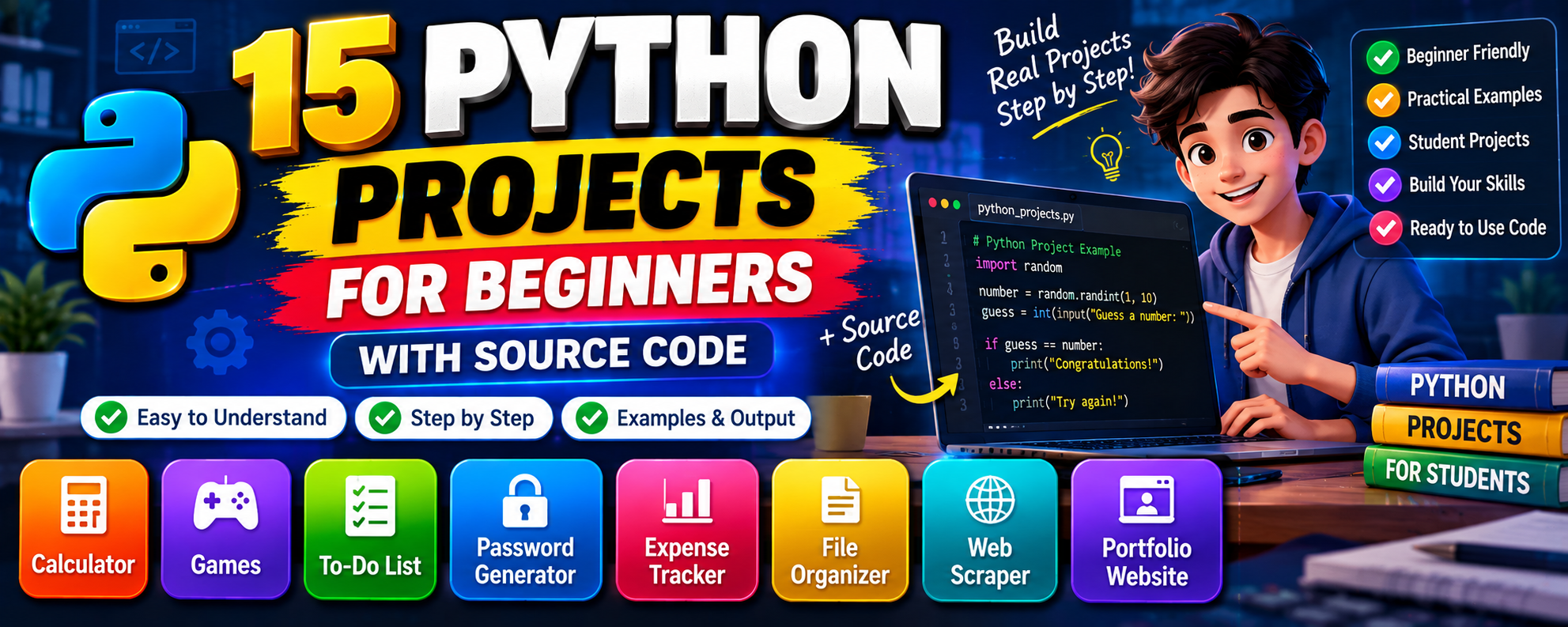
In this guide, you will learn 15 easy Python project ideas with source code, explanations, and sample outputs. These projects are suitable for beginners, B.Tech students, college students, and anyone who wants to practise Python programming.
What Are Python Projects for Beginners?
Python projects for beginners are small programs created to practise basic programming concepts such as variables, data types, conditions, loops, functions, lists, and file handling.
Instead of only reading Python theory, you write code and see how it works. For example, you can create a calculator that adds two numbers or a guessing game that asks the user to find a secret number.
These projects help you understand how programming works and prepare you for more advanced topics such as web development, data science, artificial intelligence, and automation.
Why Should You Build Python Projects?
Learning Python syntax is important, but practising it through projects is equally useful.
Here are some benefits of building Python projects:
- Improve coding skills: Practise Python concepts by writing real code.
- Understand programming logic: Learn how conditions, loops, and functions work together.
- Build confidence: Start with small programs and gradually try more challenging tasks.
- Create a portfolio: Save your projects on GitHub to show your work to others.
- Prepare for interviews: Explain your code, logic, and problem-solving approach.
- Explore different fields: Discover whether you enjoy automation, games, web development, or data analysis.
You do not need to complete every project at once. Start with one easy project, understand it properly, and then move to the next.
How to Start Python Projects
Before creating your first project, follow these simple steps.
Step 1: Install Python
Download Python from the official website: https://www.python.org/downloads/
Follow the installation instructions for your operating system. On Windows, select the option to add Python to PATH during installation if it is available.
Step 2: Choose a code editor
You can write Python programs using IDLE, Visual Studio Code, or another Python-compatible editor. You can also use an online Python compiler if you do not want to install anything yet.
Step 3: Create a Python file
Create a file named hello.py and write this code:
print("Hello, Python!")Run the program. The output should be:
Hello, Python!Step 4: Start with a simple project
Choose a project from the list below. Copy the code, run it, understand each line, and try changing the values.
15 Easy Python Projects for Beginners
1. Python Calculator
Difficulty: Very easy
A calculator is one of the best Python projects for beginners because it teaches you how to take user input and perform mathematical operations.
You can start by creating a calculator that adds, subtracts, multiplies, and divides two numbers.
Source code
num1 = float(input("Enter first number: "))
operator = input("Enter operator (+, -, *, /): ")
num2 = float(input("Enter second number: "))

if operator == "+":
    print("Result:", num1 + num2)
elif operator == "-":
    print("Result:", num1 - num2)
elif operator == "*":
    print("Result:", num1 * num2)
elif operator == "/":
    if num2 != 0:
        print("Result:", num1 / num2)
    else:
        print("Cannot divide by zero")
else:
    print("Invalid operator")
Example output
Enter first number: 10
Enter operator (+, -, *, /): *
Enter second number: 5
Result: 50.0
What will you learn?
- Taking input using
input() - Converting text into numbers using
float() - Using
if,elif, andelse - Performing arithmetic operations
Improvement idea: Add percentage, square root, and calculation history.
2. Number Guessing Game
Difficulty: Very easy
A number guessing game generates a random number and asks the player to guess it. The program tells the player whether the guess is too high or too low.
Source code
import random

secret_number = random.randint(1, 10)

while True:
    guess = int(input("Guess a number from 1 to 10: "))

    if guess < secret_number:
        print("Too low!")
    elif guess > secret_number:
        print("Too high!")
    else:
        print("Congratulations! You guessed it.")
        break
Example output
Guess a number from 1 to 10: 4
Too low!
Guess a number from 1 to 10: 8
Congratulations! You guessed it.
The exact output depends on the random number generated.
What will you learn?
- Importing the
randommodule - Using a
whileloop - Comparing numbers
- Stopping a loop with
break
Improvement idea: Limit the player to five attempts and display the number of attempts used.
3. Student Marks and Grade Calculator
Difficulty: Easy
This project calculates the average marks of a student and assigns a grade based on the average. You can use it to practise conditions and mathematical calculations.
Source code
name = input("Enter student name: ")

marks1 = float(input("Enter marks in subject 1: "))
marks2 = float(input("Enter marks in subject 2: "))
marks3 = float(input("Enter marks in subject 3: "))

average = (marks1 + marks2 + marks3) / 3

if average >= 90:
    grade = "A"
elif average >= 75:
    grade = "B"
elif average >= 60:
    grade = "C"
elif average >= 40:
    grade = "D"
else:
    grade = "F"

print("Student:", name)
print("Average:", round(average, 2))
print("Grade:", grade)
Example output
Enter student name: Ravi
Enter marks in subject 1: 80
Enter marks in subject 2: 85
Enter marks in subject 3: 90
Student: Ravi
Average: 85.0
Grade: B
These grade boundaries are examples for learning. Change them to match your college’s grading rules.
What will you learn?
- Variables and arithmetic
- User input
- Conditional statements
- Rounding numerical results
Improvement idea: Accept marks for more subjects and display the highest and lowest marks.
4. To-Do List Application
Difficulty: Easy
A to-do list application helps users manage daily tasks. A basic version can let users add tasks and display the saved list.
Source code
tasks = []

while True:
    print("\n1. Add task")
    print("2. View tasks")
    print("3. Exit")

    choice = input("Choose an option: ")

    if choice == "1":
        task = input("Enter a task: ")
        tasks.append(task)
        print("Task added successfully!")

    elif choice == "2":
        if not tasks:
            print("No tasks available.")
        else:
            for number, task in enumerate(tasks, start=1):
                print(f"{number}. {task}")

    elif choice == "3":
        print("Goodbye!")
        break

    else:
        print("Invalid choice.")
Example output
1. Add task
2. View tasks
3. Exit
Choose an option: 1
Enter a task: Complete Python practice
Task added successfully!
This basic version stores tasks in memory. The tasks disappear when the program ends.
What will you learn?
- Lists
- The
append()method - Loops and conditions
- Displaying numbered items
Improvement idea: Add options to delete tasks, mark them as completed, and save them to a file.
5. Password Generator
Difficulty: Easy
A password generator creates random passwords using letters, numbers, and special characters. This project teaches you how to work with strings and random selections.
Source code
import secrets
import string

length = int(input("Enter password length: "))

if length < 1:
    print("Length must be at least 1.")
else:
    characters = (
        string.ascii_letters
        + string.digits
        + string.punctuation
    )

    password = "".join(
        secrets.choice(characters)
        for _ in range(length)
    )

    print("Generated password:", password)
Example output
Enter password length: 12
Generated password: aB7!mQ2#xP9@
Your generated password will be different each time.
What will you learn?
- Importing Python modules
- Working with strings
- Generating random characters
- Using loops and string joining
This simple example selects characters randomly but does not guarantee that every password contains at least one uppercase letter, digit, and symbol.
Improvement idea: Add options for password length and required character types. Avoid sharing generated passwords publicly.
6. Rock, Paper, Scissors Game
Difficulty: Easy
Rock, paper, scissors is a simple game in which a player competes against the computer.
The rules are:
- Rock beats scissors.
- Scissors beats paper.
- Paper beats rock.
Source code
import random

choices = ["rock", "paper", "scissors"]

player = input("Choose rock, paper, or scissors: ").lower()

if player not in choices:
    print("Invalid choice.")
else:
    computer = random.choice(choices)

    print("Computer chose:", computer)

    if player == computer:
        print("It's a tie!")
    elif (
        (player == "rock" and computer == "scissors")
        or (player == "paper" and computer == "rock")
        or (player == "scissors" and computer == "paper")
    ):
        print("You win!")
    else:
        print("Computer wins!")
Example output
Choose rock, paper, or scissors: rock
Computer chose: scissors
You win!
What will you learn?
- Lists
- Random selection
- String methods
- Logical operators
- Nested conditions
Improvement idea: Add a score counter and allow players to play multiple rounds.
7. Simple Contact Book
Difficulty: Easy
A contact book stores names and phone numbers. It is useful for learning how Python dictionaries work.
Source code
contacts = {}

while True:
    name = input("Enter contact name (or exit): ")

    if name.lower() == "exit":
        break

    phone = input("Enter phone number: ")
    contacts[name] = phone

print("\nSaved contacts:")

for name, phone in contacts.items():
    print(name, ":", phone)
Example output
Enter contact name (or exit): Ravi
Enter phone number: 9876543210
Enter contact name (or exit): exit

Saved contacts:
Ravi : 9876543210
What will you learn?
- Dictionaries
- Storing key-value pairs
- Reading user input
- Iterating through dictionary items
This example keeps contacts only while the program is running.
Improvement idea: Add contact search, editing, deletion, and file storage.
8. Countdown Timer
Difficulty: Easy
A countdown timer displays a number of seconds remaining until the timer reaches zero.
Source code
import time

seconds = int(input("Enter countdown time in seconds: "))

if seconds < 0:
    print("Enter a non-negative number.")
else:
    while seconds > 0:
        print(seconds)
        time.sleep(1)
        seconds -= 1

    print("Time's up!")
Example output
Enter countdown time in seconds: 3
3
2
1
Time's up!
What will you learn?
- The
timemodule - Loops
- Updating variables
- Creating a simple time-based program
Improvement idea: Display the countdown in minutes and seconds and add an alarm sound.
9. Word Counter
Difficulty: Easy
A word counter calculates how many words appear in a sentence or paragraph. It is a useful beginner project because it uses Python’s string methods.
Source code
text = input("Enter a sentence or paragraph: ")

words = text.split()

print("Word count:", len(words))
print("Character count:", len(text))
Example output
Enter a sentence or paragraph: Python is easy to learn
Word count: 5
Character count: 23
The character count includes spaces and punctuation.
What will you learn?
- Strings
- The
split()method - The
len()function - Basic text processing
Improvement idea: Count sentences, vowels, and the frequency of each word.
10. Multiplication Table Generator
Difficulty: Very easy
A multiplication table generator prints the multiplication table for a number entered by the user.
Source code
number = int(input("Enter a number: "))

for i in range(1, 11):
    print(f"{number} x {i} = {number * i}")
Example output
Enter a number: 5
5 x 1 = 5
5 x 2 = 10
5 x 3 = 15
5 x 4 = 20
5 x 5 = 25
5 x 6 = 30
5 x 7 = 35
5 x 8 = 40
5 x 9 = 45
5 x 10 = 50
What will you learn?
forloops- The
range()function - Multiplication
- Formatted strings
Improvement idea: Generate tables up to a user-selected limit or print several tables together.
11. Expense Tracker
Difficulty: Easy to medium
An expense tracker records spending and calculates the total amount spent. It is useful for understanding lists, numbers, and loops.
Source code
expenses = []

while True:
    amount = input(
        "Enter expense amount or type done: "
    )

    if amount.lower() == "done":
        break

    try:
        value = float(amount)

        if value < 0:
            print("Enter a non-negative amount.")
            continue

        expenses.append(value)

    except ValueError:
        print("Please enter a valid number.")

total = sum(expenses)

print("Number of expenses:", len(expenses))
print("Total spending:", round(total, 2))
Example output
Enter expense amount or type done: 100
Enter expense amount or type done: 250
Enter expense amount or type done: done
Number of expenses: 2
Total spending: 350.0
What will you learn?
- Lists and numeric values
- The
sum()function - Exception handling
- Input validation
Improvement idea: Add expense categories, dates, monthly totals, and CSV export.
12. Quiz Application
Difficulty: Easy to medium
A quiz application asks questions, checks the answers, and calculates the player’s score. It is useful for practising dictionaries, loops, and conditions.
Source code
questions = [
    {
        "question": "Which language are we learning?",
        "answer": "python"
    },
    {
        "question": "What is 2 + 3?",
        "answer": "5"
    },
    {
        "question": "Which keyword defines a function?",
        "answer": "def"
    }
]

score = 0

for item in questions:
    answer = input(item["question"] + " ").strip().lower()

    if answer == item["answer"]:
        print("Correct!")
        score += 1
    else:
        print("Incorrect!")

print("Your score:", score, "out of", len(questions))
Example output
Which language are we learning? python
Correct!
What is 2 + 3? 5
Correct!
Which keyword defines a function? def
Correct!
Your score: 3 out of 3
What will you learn?
- Lists containing dictionaries
- Loops
- Comparing strings
- Tracking a score
Improvement idea: Add multiple-choice answers, a timer, difficulty levels, and a leaderboard.
13. File Organizer
Difficulty: Medium
A file organizer sorts files into folders based on their file extensions. For example, it can place images in an Images folder and PDF files in a Documents folder.
This project introduces file handling and the pathlib module.
Example source code
from pathlib import Path
import shutil

folder = Path(input("Enter folder path: ")).expanduser()

if not folder.is_dir():
    print("Folder does not exist.")
else:
    categories = {
        ".jpg": "Images",
        ".png": "Images",
        ".pdf": "Documents",
        ".txt": "Text Files"
    }

    for file in folder.iterdir():
        if not file.is_file():
            continue

        category = categories.get(file.suffix.lower())

        if category:
            destination = folder / category
            destination.mkdir(exist_ok=True)

            target = destination / file.name

            if not target.exists():
                shutil.move(str(file), str(target))
                print("Moved:", file.name)
            else:
                print("Skipped existing file:", file.name)
What will you learn?
- Working with folders and files
- File extensions
- Dictionaries
- Using
pathlibandshutil
Important: This program moves files, so test it on a temporary folder containing sample files first. It skips files when a destination filename already exists.
Improvement idea: Add more file types, a preview mode, and a report of moved files.
14. Python Web Scraper
Difficulty: Medium
A web scraper collects information from a webpage. For example, it can extract headings or links from a page that permits automated access.
This project introduces HTTP requests and HTML parsing.
First, install the required libraries:
python -m pip install requests beautifulsoup4Source code
import requests
from bs4 import BeautifulSoup

url = "https://example.com"

try:
    response = requests.get(
        url,
        timeout=10,
        headers={"User-Agent": "BeginnerLearningProject/1.0"}
    )
    response.raise_for_status()

    soup = BeautifulSoup(response.text, "html.parser")

    for heading in soup.find_all(["h1", "h2"]):
        print(heading.get_text(" ", strip=True))

except requests.RequestException as error:
    print("Could not retrieve the webpage:", error)
What will you learn?
- Installing Python libraries
- Sending HTTP requests
- Parsing HTML
- Extracting webpage content
- Handling network errors
The example uses a public demonstration website. Real websites may restrict scraping, so check their terms, access policies, and applicable rules before collecting information. Do not attempt to bypass access controls.
Improvement idea: Extract permitted article titles and links and save the results to a CSV file.
15. Personal Portfolio Website Using Python
Difficulty: Medium
A personal portfolio website displays information about you, your skills, projects, education, and contact details. Python’s Flask framework can help you create a simple website.
First, install Flask:
python -m pip install flaskCreate a file named app.py.
Source code
from flask import Flask

app = Flask(__name__)

@app.route("/")
def home():
    return """
    <h1>My Python Portfolio</h1>
    <p>Hello! I am learning Python.</p>
    <h2>My Skills</h2>
    <p>Python, HTML, CSS</p>
    <h2>My Projects</h2>
    <p>Calculator, Quiz App, Expense Tracker</p>
    """

if __name__ == "__main__":
    app.run(debug=True)
Run the application:
python app.pyOpen the local address shown in your terminal, usually http://127.0.0.1:5000/.
What will you learn?
- Python functions
- Flask routes
- Basic web development
- Running a local server
- Returning HTML from Python
This is a learning example. Before deploying a public website, disable debug mode and follow production deployment practices.
Improvement idea: Create separate pages for your About section, projects, and contact details. Use HTML templates and CSS to improve the design.
Which Python Project Should You Choose First?
The best project depends on your current programming knowledge and your goals.
| Your goal | Recommended project | Concepts to practise |
|---|---|---|
| Learn basic input and output | Calculator | Variables and conditions |
| Understand loops | Number guessing game | Loops and comparisons |
| Practise lists | To-do list | Lists and methods |
| Learn dictionaries | Contact book | Key-value pairs |
| Work with text | Word counter | Strings |
| Practise exception handling | Expense tracker | try and except |
| Learn file handling | File organizer | Files and folders |
| Explore web data | Web scraper | Requests and HTML |
| Start web development | Portfolio website | Flask and HTML |
If you are completely new to Python, begin with the calculator, multiplication table, and number guessing game. Once you understand them, move on to projects that use files, external libraries, or web development.
Tips for Building Better Python Projects
Follow these tips to get more value from every project.
1. Understand the code instead of copying it
Copying code can help you get started, but you should understand what each line does. Try explaining the program in your own words.
2. Change the program
After running a project successfully, add a new feature. For example, add a score counter to the guessing game or a delete option to the to-do list.
3. Handle errors
Users may enter letters when a program expects numbers or select an invalid menu option. Add input validation and useful error messages.
4. Use functions
When a program becomes longer, divide it into smaller functions. This makes your code easier to read, test, and maintain.
5. Save your work
Use meaningful file names, organize your code into folders, and save versions of your projects. Git and GitHub can help you track changes and build a portfolio.
6. Write a README file
For each project, explain what it does, which Python version it uses, how to install dependencies, and how to run it. Include screenshots or sample output when useful.
7. Build projects step by step
Do not try to create a large application on your first day. Start with a working version, test it, and then add features gradually.
Frequently Asked Questions
1. Which Python project is best for beginners?
A calculator is a good first project because it teaches input, arithmetic operations, and conditional statements. A number guessing game is another excellent choice for practising loops and comparisons.
2. Can I build Python projects without advanced knowledge?
Yes. You can build several useful projects with basic knowledge of variables, conditions, loops, lists, and functions. More advanced projects may require libraries or additional concepts, which you can learn as you progress.
3. Are Python projects useful for B.Tech students?
Yes. Python projects can help B.Tech students practise programming, improve problem-solving skills, and demonstrate their work in a portfolio. For college submissions, understand the code, document your work, and follow your institution’s academic rules.
4. Can I add Python projects to my resume?
Yes. You can include projects that you have built and understand. Mention the project’s purpose, the technologies used, the features you implemented, and any measurable results you can honestly demonstrate.
5. Where can I practise Python online?
You can start with the official Python tutorial at https://docs.python.org/3/tutorial/ and the official Python website at https://www.python.org/. Online Python compilers can also help you run simple programs without setting up a local environment.
6. How many Python projects should a beginner build?
There is no fixed number. Completing three to five projects that you understand well is often more useful than creating many projects without understanding how they work. Focus on improving your code and adding useful features.
7. Which Python projects are suitable for college mini-projects?
A student management system, expense tracker, quiz application, file organizer, and portfolio website can be good starting points. The complexity should match your course requirements, and you should add your own features and explain your implementation.
8. Can Python projects help me get a job?
Projects can support your job application by demonstrating practical skills, but they do not guarantee employment. Employers may also evaluate your programming fundamentals, problem-solving, communication, and ability to explain your decisions.
Conclusion
Python is a beginner-friendly language, and building small projects is one of the most practical ways to improve your coding skills.
In this guide, you explored 15 Python projects for beginners, including a calculator, number guessing game, grade calculator, to-do list, password generator, quiz application, expense tracker, file organizer, web scraper, and portfolio website.
Start with one simple project and make sure you understand how it works. Then add features, test different inputs, and save your progress. Over time, these small projects can help you develop the confidence needed to build larger applications.
Ready to start learning Python? Choose one project from this list, run the code, and try improving it today. Visit BTechFAQA for more beginner-friendly programming tutorials, examples, and student learning resources.