Learning Python is easier if you write programs more often. Reading the syntax and concepts of Python is helpful but solving programming problems make you understand working behind how python works.
Simple programs for the Python Practical examIf you are new to programming, B.Tech student, diploma student or preparing for Python practical examination that is great way to practice coding and problem solving skill.
This article contains 50+ Python Programs for practice with solutions and output. From simple examples to conditions, loops, numbers and strings, lists and functions: dictionaries and all other relevant python features.
You can take a copy of every program, run it in python and change the input values while trying to make sense of how you got to the solution.
Table of Contents
- Hello World Program
- Add Two Numbers
- Subtract Two Numbers
- Multiply Two Numbers
- Calculate Average
- Find Square
- Find Cube
- Check Even or Odd
- Check Positive or Negative
- Find Largest of Two Numbers
- Find Largest of Three Numbers
- Check Leap Year
- Check Voting Eligibility
- Simple Calculator
- Print Numbers from 1 to 10
- Print Even Numbers
- Print Odd Numbers
- Multiplication Table
- Sum of Natural Numbers
- Factorial Program
- Fibonacci Series
- Reverse a Number
- Sum of Digits
- Count Digits
- Check Prime Number
- Print Prime Numbers
- Check Palindrome Number
- Armstrong Number
- Find GCD
- Find LCM
- Reverse a String
- Check String Palindrome
- Count Vowels
- Count Characters
- Convert String to Uppercase
- Find String Length
- Find Largest List Element
- Find Smallest List Element
- Find Sum of List
- Sort a List
- Remove Duplicates
- Search an Element
- Find Second Largest
- Create a Tuple
- Dictionary Example
- Set Operations
- Function to Add Numbers
- Function to Check Even
- Recursive Factorial
- Star Pattern
- Number Pattern
- Bubble Sort
- Linear Search
- Celsius to Fahrenheit
- Generate Random Number
1. Hello World Program
The first program every Python beginner usually writes is the Hello World program.
print("Hello World")
Output
Hello World
The print() function displays information on the screen.
2. Add Two Numbers
This program adds two numbers using the addition operator.
a = 10
b = 20

result = a + b

print("Sum =", result)
Output
Sum = 30
3. Subtract Two Numbers
a = 50
b = 20

result = a - b

print("Difference =", result)
Output
Difference = 30
4. Multiply Two Numbers
a = 10
b = 5

result = a * b

print("Product =", result)
Output
Product = 50
5. Calculate Average
a = 10
b = 20
c = 30

average = (a + b + c) / 3

print("Average =", average)
Output
Average = 20.0
6. Find Square of a Number
number = 8

square = number ** 2

print("Square =", square)
Output
Square = 64
7. Find Cube of a Number
number = 5

cube = number ** 3

print("Cube =", cube)
Output
Cube = 125
8. Check Even or Odd
Checking whether a number is even or odd is one of the most common beginner Python exercises.
number = 15

if number % 2 == 0:
    print("Even")
else:
    print("Odd")
Output
Odd
The modulus operator % returns the remainder. If the remainder is zero when dividing by 2, the number is even.
9. Check Positive or Negative
number = -10

if number > 0:
    print("Positive")
elif number < 0:
    print("Negative")
else:
    print("Zero")
Output
Negative
10. Find Largest of Two Numbers
a = 25
b = 40

if a > b:
    print("Largest =", a)
else:
    print("Largest =", b)
Output
Largest = 40
11. Find Largest of Three Numbers
a = 25
b = 60
c = 40

if a > b and a > c:
    largest = a
elif b > c:
    largest = b
else:
    largest = c

print("Largest =", largest)
Output
Largest = 60
12. Check Leap Year
year = 2024

if year % 400 == 0 or (year % 4 == 0 and year % 100 != 0):
    print("Leap Year")
else:
    print("Not a Leap Year")
Output
Leap Year
13. Check Voting Eligibility
age = 20

if age >= 18:
    print("Eligible to vote")
else:
    print("Not eligible to vote")
Output
Eligible to vote
14. Simple Calculator
a = 20
b = 10
operator = "*"

if operator == "+":
    print(a + b)
elif operator == "-":
    print(a - b)
elif operator == "*":
    print(a * b)
elif operator == "/":
    print(a / b)
else:
    print("Invalid operator")
Output
200
15. Print Numbers from 1 to 10
for i in range(1, 11):
    print(i)
Output
1
2
3
4
5
6
7
8
9
10
16. Print Even Numbers
for i in range(2, 21, 2):
    print(i, end=" ")
Output
2 4 6 8 10 12 14 16 18 20
17. Print Odd Numbers
for i in range(1, 20, 2):
    print(i, end=" ")
Output
1 3 5 7 9 11 13 15 17 19
18. Multiplication Table
number = 7

for i in range(1, 11):
    print(number, "x", i, "=", number * i)
Output
7 x 1 = 7
7 x 2 = 14
7 x 3 = 21
7 x 4 = 28
7 x 5 = 35
7 x 6 = 42
7 x 7 = 49
7 x 8 = 56
7 x 9 = 63
7 x 10 = 70
19. Sum of Natural Numbers
total = 0

for i in range(1, 11):
    total += i

print("Sum =", total)
Output
Sum = 55
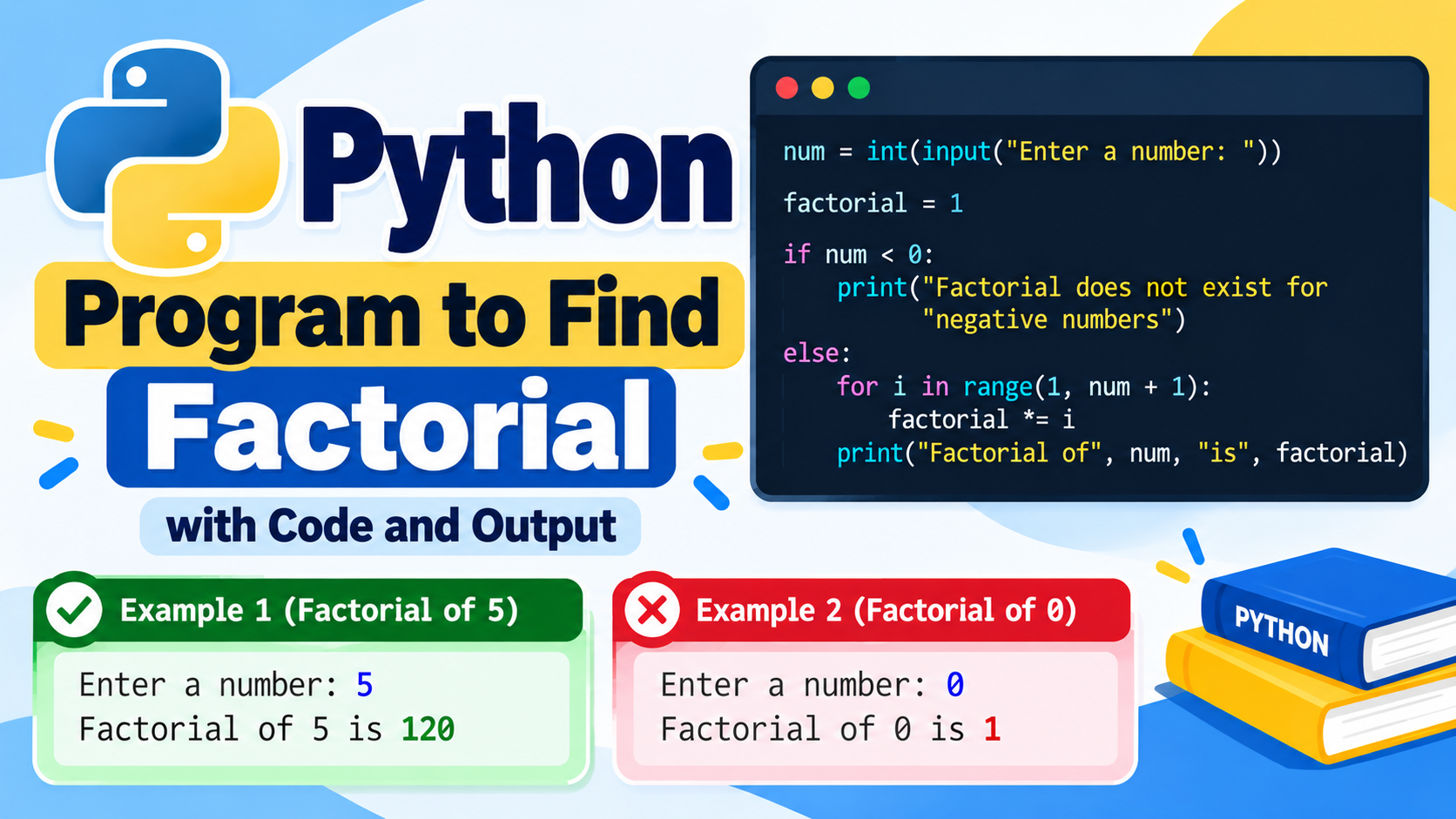
20. Factorial of a Number
number = 5
factorial = 1

for i in range(1, number + 1):
    factorial *= i

print("Factorial =", factorial)
Output
Factorial = 120
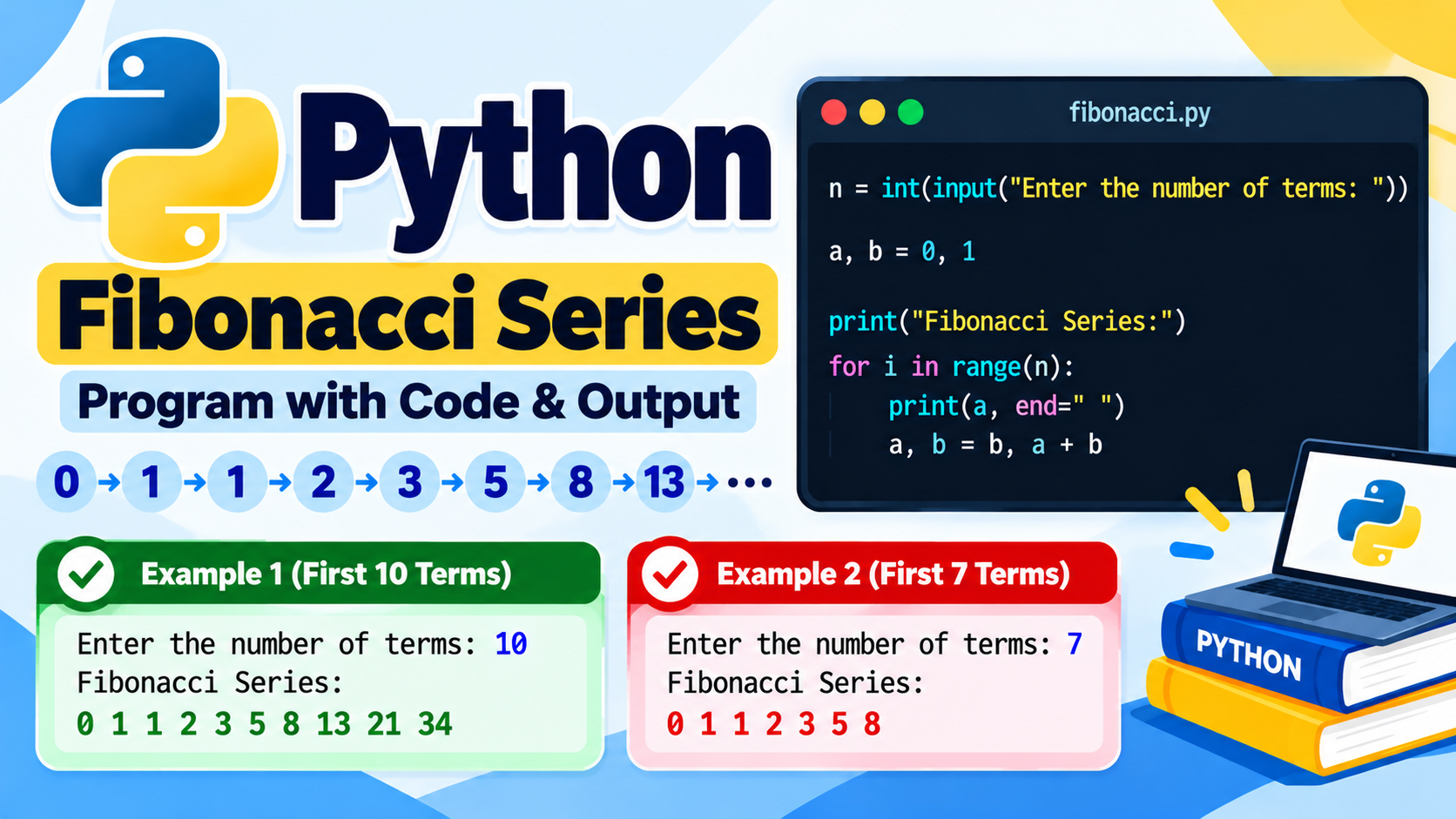
21. Fibonacci Series
The Fibonacci sequence starts with 0 and 1. Every following number is obtained by adding the previous two numbers.
a = 0
b = 1

for i in range(10):
    print(a, end=" ")
    a, b = b, a + b
Output
0 1 1 2 3 5 8 13 21 34
22. Reverse a Number
number = 12345
reverse = 0

while number > 0:
    digit = number % 10
    reverse = reverse * 10 + digit
    number //= 10

print("Reverse =", reverse)
Output
Reverse = 54321
23. Sum of Digits
number = 12345
total = 0

while number > 0:
    total += number % 10
    number //= 10

print("Sum =", total)
Output
Sum = 15
24. Count Digits
number = 123456
count = 0

while number > 0:
    count += 1
    number //= 10

print("Number of digits =", count)
Output
Number of digits = 6
25. Check Prime Number
A prime number has exactly two factors: 1 and itself.
number = 17
is_prime = True

if number < 2:
    is_prime = False

for i in range(2, int(number ** 0.5) + 1):
    if number % i == 0:
        is_prime = False
        break

if is_prime:
    print("Prime Number")
else:
    print("Not a Prime Number")
Output
Prime Number
26. Print Prime Numbers
for number in range(2, 51):

    is_prime = True

    for i in range(2, int(number ** 0.5) + 1):
        if number % i == 0:
            is_prime = False
            break

    if is_prime:
        print(number, end=" ")
Output
2 3 5 7 11 13 17 19 23 29 31 37 41 43 47
27. Check Palindrome Number
A palindrome number remains the same when its digits are reversed.
number = 121

if str(number) == str(number)[::-1]:
    print("Palindrome")
else:
    print("Not Palindrome")
Output
Palindrome
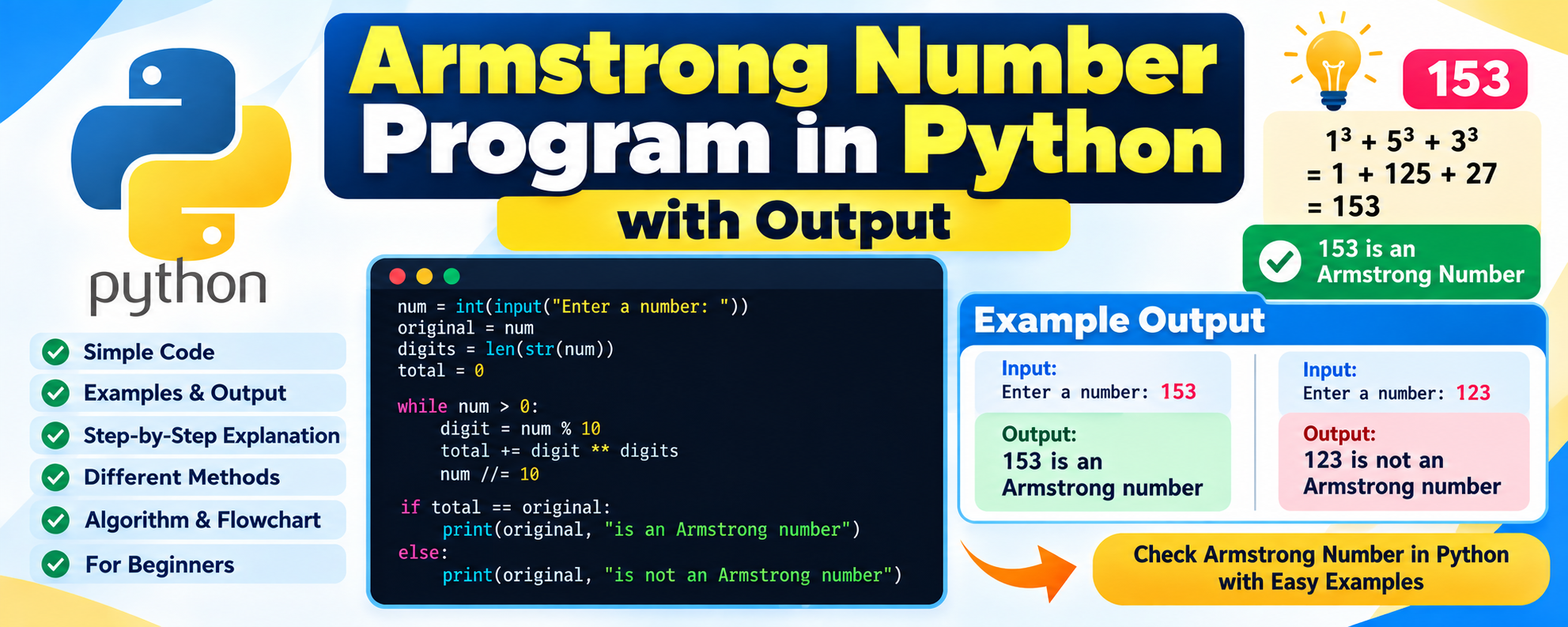
28. Armstrong Number
An Armstrong number is a number whose digits raised to the power of the number of digits add up to the original number.
number = 153

digits = str(number)

total = sum(int(digit) ** len(digits) for digit in digits)

if total == number:
    print("Armstrong Number")
else:
    print("Not Armstrong Number")
Output
Armstrong Number
29. Find GCD
GCD means Greatest Common Divisor.
import math

a = 24
b = 36

print("GCD =", math.gcd(a, b))
Output
GCD = 12
30. Find LCM
LCM means Least Common Multiple.
import math

a = 12
b = 18

lcm = abs(a * b) // math.gcd(a, b)

print("LCM =", lcm)
Output
LCM = 36
31. Reverse a String
text = "Python"

print(text[::-1])
Output
nohtyP
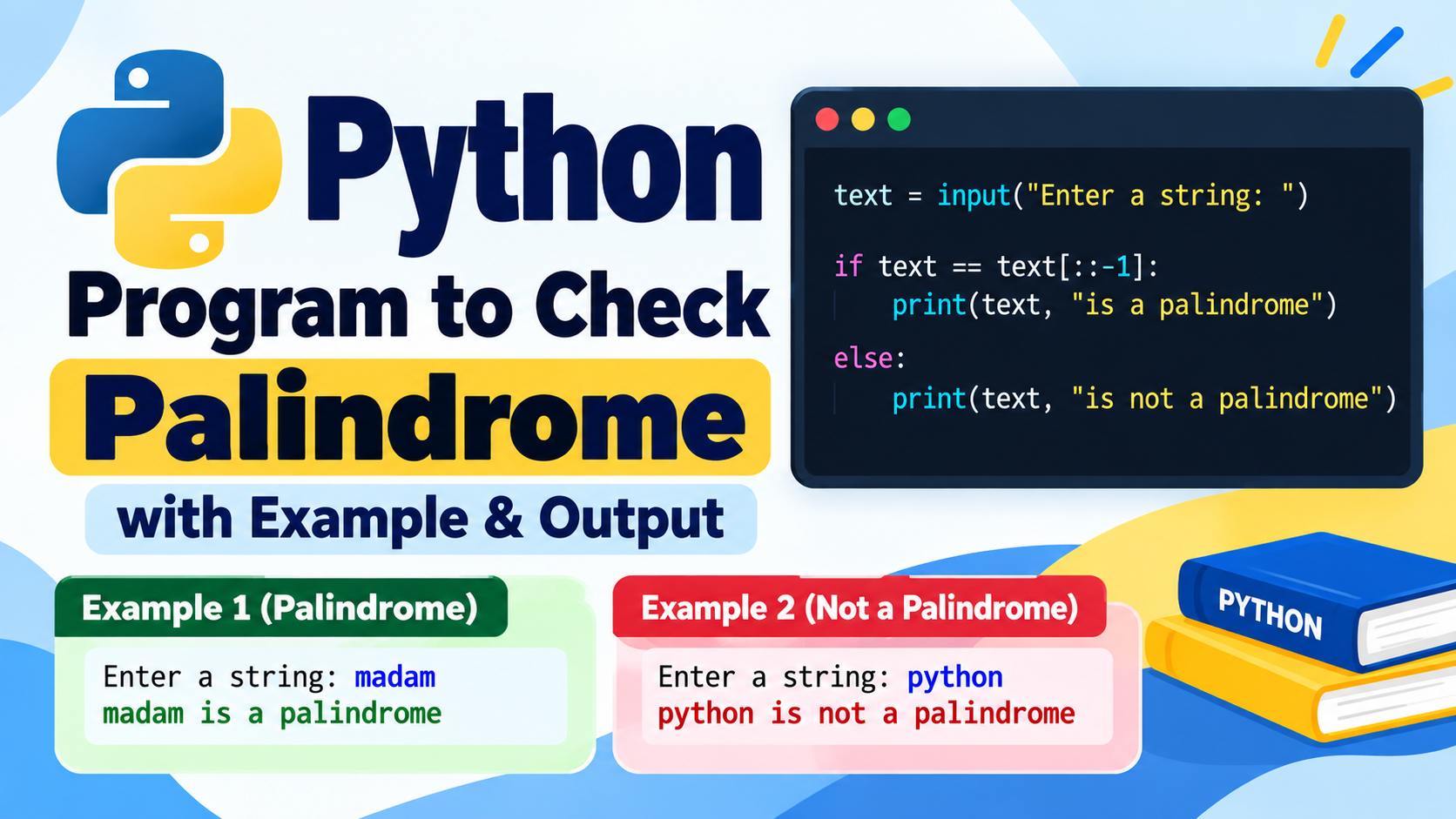
32. Check String Palindrome
text = "madam"

if text == text[::-1]:
    print("Palindrome")
else:
    print("Not Palindrome")
Output
Palindrome
33. Count Vowels in a String
text = "Python Programming"
count = 0

for char in text.lower():
    if char in "aeiou":
        count += 1

print("Vowels =", count)
Output
Vowels = 4
34. Count Characters
text = "Python"

print("Characters =", len(text))
Output
Characters = 6
35. Convert String to Uppercase
text = "python programming"

print(text.upper())
Output
PYTHON PROGRAMMING
36. Find String Length
text = "Programming"

print(len(text))
Output
11
37. Find Largest Element in a List
numbers = [10, 45, 23, 67, 12]

print("Largest =", max(numbers))
Output
Largest = 67
38. Find Smallest Element in a List
numbers = [10, 45, 23, 67, 12]

print("Smallest =", min(numbers))
Output
Smallest = 10
39. Find Sum of List Elements
numbers = [10, 20, 30, 40, 50]

print("Sum =", sum(numbers))
Output
Sum = 150
40. Sort a List
numbers = [50, 20, 40, 10, 30]

numbers.sort()

print(numbers)
Output
[10, 20, 30, 40, 50]
41. Remove Duplicate Elements
numbers = [1, 2, 2, 3, 3, 4, 5]

unique_numbers = list(set(numbers))

print(unique_numbers)
Output
[1, 2, 3, 4, 5]
The order of elements in a set is not guaranteed, so the displayed order can vary.
42. Search an Element in a List
numbers = [10, 20, 30, 40, 50]
target = 30

if target in numbers:
    print("Element Found")
else:
    print("Element Not Found")
Output
Element Found
43. Find Second Largest Number
numbers = [10, 20, 50, 40, 30]

numbers = list(set(numbers))
numbers.sort()

print("Second Largest =", numbers[-2])
Output
Second Largest = 40
44. Create and Access a Tuple
numbers = (10, 20, 30, 40)

print(numbers)
print("Second element =", numbers[1])
Output
(10, 20, 30, 40)
Second element = 20
45. Python Dictionary Example
Dictionaries store information in key-value pairs.
student = {
    "name": "Rahul",
    "age": 20,
    "course": "B.Tech"
}

print(student["name"])
print(student["course"])
Output
Rahul
B.Tech
46. Set Union and Intersection
a = {1, 2, 3}
b = {3, 4, 5}

print("Union =", a | b)
print("Intersection =", a & b)
Output
Union = {1, 2, 3, 4, 5}
Intersection = {3}
47. Function to Add Two Numbers
Functions allow us to reuse code.
def add(a, b):
    return a + b

result = add(10, 20)

print("Sum =", result)
Output
Sum = 30
48. Function to Check Even Number
def is_even(number):
    return number % 2 == 0

print(is_even(20))
Output
True
49. Factorial Using Recursion
A recursive function calls itself until a specific condition is reached.
def factorial(n):

    if n == 0:
        return 1

    return n * factorial(n - 1)

print(factorial(5))
Output
120
50. Star Pattern
Pattern programs are useful for practicing nested loops.
for i in range(1, 6):
    print("*" * i)
Output
*
**
***
****
*****
51. Number Pattern
for i in range(1, 6):

    for j in range(1, i + 1):
        print(j, end=" ")

    print()
Output
1
1 2
1 2 3
1 2 3 4
1 2 3 4 5
52. Bubble Sort
Bubble Sort is a simple sorting algorithm often used when learning basic algorithms.
numbers = [5, 3, 8, 1, 2]

for i in range(len(numbers)):

    for j in range(0, len(numbers) - i - 1):

        if numbers[j] > numbers[j + 1]:
            numbers[j], numbers[j + 1] = numbers[j + 1], numbers[j]

print(numbers)
Output
[1, 2, 3, 5, 8]
53. Linear Search
Linear search checks each element one by one until the required element is found.
numbers = [10, 20, 30, 40, 50]
target = 40

found = False

for number in numbers:

    if number == target:
        found = True
        break

if found:
    print("Element Found")
else:
    print("Element Not Found")
Output
Element Found
54. Celsius to Fahrenheit
celsius = 30

fahrenheit = (celsius * 9 / 5) + 32

print("Fahrenheit =", fahrenheit)
Output
Fahrenheit = 86.0
55. Generate a Random Number
Python provides the random module for generating random values.
import random

number = random.randint(1, 10)

print("Random Number =", number)
Sample Output
Random Number = 7
The output can be different each time because the number is randomly generated.
How to Practice Python Programs Effectively
Simply reading Python programs is not enough. Try to write and execute every program yourself.
A useful practice method is:
Step 1: Understand the Problem
Before writing code, identify what the program needs to do.
For example:
Problem: Check whether a number is even or odd.
You need to determine whether the number is divisible by 2.
Step 2: Write the Logic
The basic logic is:
If number % 2 == 0
    Even
Otherwise
    Odd
Step 3: Write Python Code
Convert the logic into Python syntax.
Step 4: Test Different Inputs
Don’t test only one value.
Try:
10
15
0
-4
23
This helps you understand how the program behaves in different situations.
Step 5: Modify the Program
After completing a program, make a small change.
For example, after learning how to find the largest of two numbers, try creating a program that finds the smallest number.
Python Programs Practice Roadmap
Beginners can follow this order while practicing Python.
Beginner Level
Start with:
- Print statements
- Variables
- Data types
- Input and output
- Arithmetic operations
- Even or odd
- Positive or negative
- Largest number
Intermediate Beginner Level
Then practice:
forloopswhileloops- Factorial
- Fibonacci
- Prime numbers
- Palindrome
- Armstrong numbers
- Number reversal
- Sum of digits
Data Structure Level
After understanding loops, practice:
- Strings
- Lists
- Tuples
- Sets
- Dictionaries
Problem-Solving Level
Finally practice:
- Searching
- Sorting
- Functions
- Recursion
- Pattern programs
- File handling
- Object-oriented programming
Common Python Topics to Practice
If you are preparing for a Python practical exam or coding test, focus on these topics:
- Variables and data types
- Operators
- Input and output
- Conditional statements
- For loop
- While loop
- Strings
- Lists
- Tuples
- Sets
- Dictionaries
- Functions
- Recursion
- Searching
- Sorting
- File handling
- Classes and objects
Tips for Python Students
Practice Without Looking at the Solution
First read the problem and try to write the code yourself. If you get stuck, look at the solution and understand what you missed.
Change the Values
If the example uses:
number = 10
try:
number = 25
and then:
number = 100
Try Different Approaches
There can be multiple ways to solve the same Python problem.
For example, a list’s largest element can be found using max() or by manually comparing elements using a loop.
Learning both approaches improves your understanding.
Understand the Output
Don’t just check whether your program runs successfully. Compare the output with the expected result and understand why it is produced.
Frequently Asked Questions
What are Python programs for practice?
Python programs for practice are small coding exercises designed to improve programming fundamentals and problem-solving skills. They can include number problems, strings, loops, lists, functions, searching, sorting, and other concepts.
Are these Python programs suitable for beginners?
Yes. These examples start with simple programs and gradually introduce more programming concepts.
Are Python practice programs useful for B.Tech students?
Yes. Basic Python programs are useful for programming labs, assignments, practical examinations, viva preparation, and improving coding fundamentals.
Where can I run these Python programs?
You can run Python programs using Python IDLE, Visual Studio Code, PyCharm, Jupyter Notebook, Google Colab, or another Python-compatible environment.
Should I memorize Python programs?
It is better to understand the logic rather than memorize the code. Once you understand the logic, you can write similar programs more easily.
Conclusion
Practicing Python programs regularly is one of the best ways to improve your programming skills. The 50+ Python programs for practice with solutions and output in this article cover important beginner and intermediate concepts such as variables, operators, conditions, loops, numbers, strings, lists, tuples, sets, dictionaries, functions, recursion, searching, sorting, and patterns.
If you are just starting Python, begin with the basic programs and gradually move toward number problems, data structures, functions, and algorithms.
Try to write each program yourself, run it with different inputs, and modify the code to create your own solutions. Consistent practice is more useful than simply memorizing programs.
Keep practicing, keep experimenting, and use every programming error as an opportunity to understand Python better.