Features
Student Name
Mobile Number
Date of Birth
Gender
Course
Address
Submit form
Save data to MySQL
View registered students
Edit student
Delete student
Bootstrap responsive designFeatures
Project Structure:
student-registration/
│
├── index.php
├── save.php
├── students.php
├── edit.php
├── update.php
├── delete.php
├── database.php
└── style.css
Explation :
Student Registration Form PHP Project withFree Source Code | Applied Science University
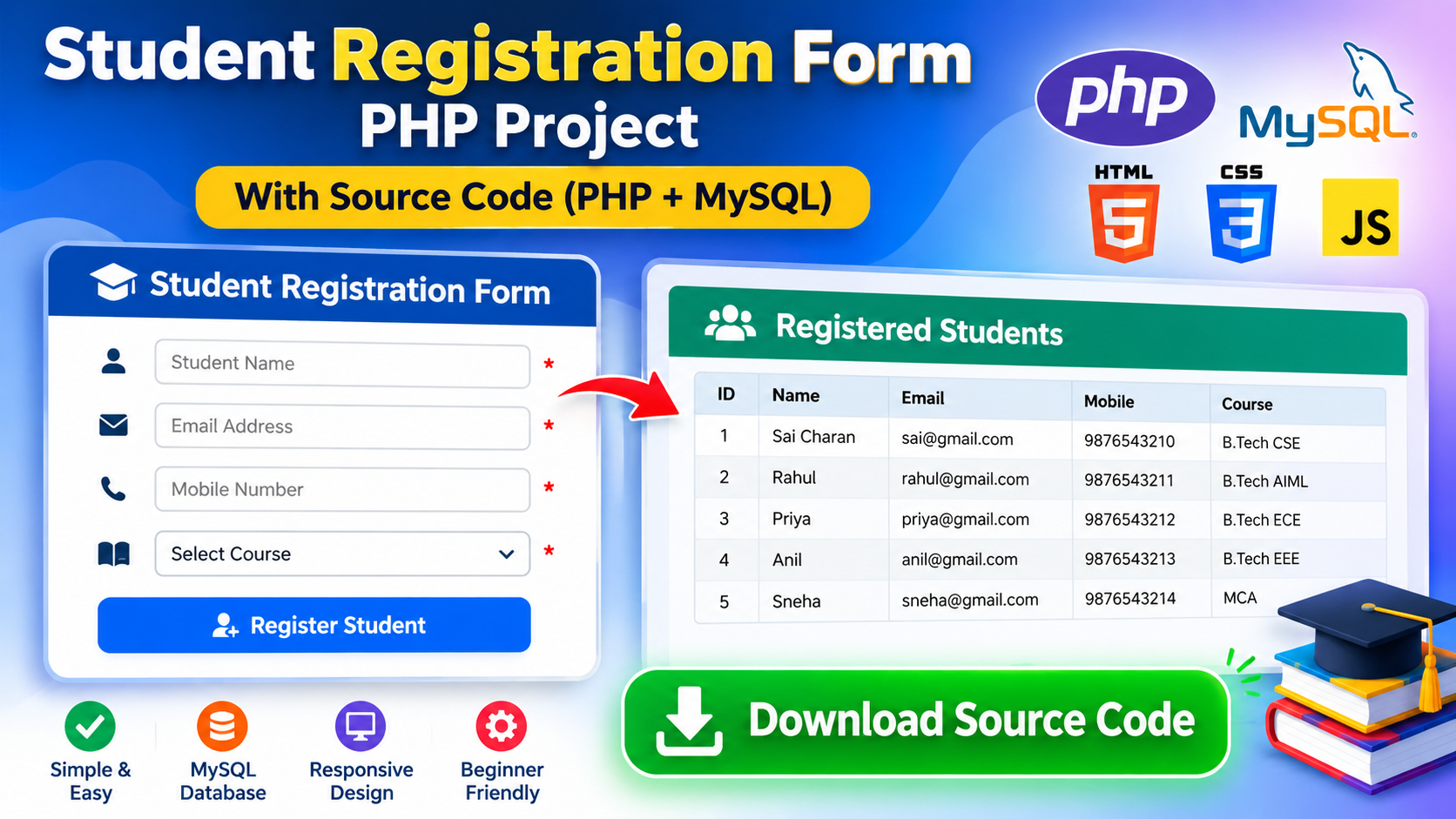
Student Registration Form → A short PHP and MySql project to collect student information and write it to a database.
The project consists of two main components:
Register Form – Students Fill All details.
Registered Students Page: Admin/user can see All Registered Students.
How the Project Works
Well, the entire approach looks very simple.
Student → Registration Form → PHP → Database MySQL→ Student List
Student Opens the Website
On the other hand, when the student opens up to the project, he sees a registration form.
The form includes fields including:
Student Name
Mobile Number
Course
There is also a button to Register Student.
Student Enters Details
For example, a student enters:
Name: Sai Charan
Email: sai@gmail.com
Mobile: 9876543210
Course: B.Tech CSE
Then the student will click Register Student.
PHP Receives the Information
When clicked on the Button, this data is passed to PHP application.
In PHP, it validates the submitted data and wraps it in a package to be stored.
So PHP is the link to connect the form and the database.
MySQL Stores the Information
PHP sends the student information to MySQL instance.
And then as such it is kept in the database:
ID
Name
Mobile
Course
1
Sai Charan
sai@gmail.com
9876543210
B.Tech CSE
The ID is generated by the system for every student.
Registration is Completed
The user is redirected to Registered Students page after the information was successfully saved.
Example: success message can be shown like:
Student registered successfully!
Registered Students Page
List of all students.
For example:
ID
Name
Mobile
Course
1
Sai Charan
sai@gmail.com
9876543210
B.Tech CSE
2
Rahul
rahul@gmail.com
9876543211
B.Tech AIML
3
Priya
priya@gmail.com
9876543212
B.Tech ECE
Each time a new student registers, we append a new row to this file.
What Each Technology Does
HTML
HTML creates the registration form and page structure.
For example:
Text boxes
Email field
Mobile field
Course selection
Button
Table
CSS
CSS beautifies the website.
It provides:
Colors
Spacing
Buttons
Cards
Mobile responsiveness
Table design
PHP
Going into the working part of the project is performed with PHP(c).
It:
Receives form data
Connects to MySQL
Saves student information
Gets the student information from database
Displays the information
MySQL
MySQL is the storage system.
This contains the registered student information in permanent storage.
Simple Project Flow
When it comes to the project you can recall it like this?
Open Website
↓
Registration Form
↓
Enter Student Details
↓
Click Register
↓
PHP Receives Data
↓
MySQL Database
↓
Data Saved
↓
Registered Students Page
↓
Student Details Displayed
Example
Suppose Rahul wants to register.
He enters:
Name: Rahul
Email: rahul@gmail.com
Mobile: 9876543210
Course: B.Tech AIML
He clicks Register Student.
The process is:
Form → PHP → MySQL → Saved Succesfully → Student List
And then, when someone later looks at the list of students, it will include Rahul.
In One Simple Sentence
This project receives student information from a web form and forwards the information to PHP for storage in MySQL, then displays live registered students on a different page.