Calculator Program in Python with Code and Output
Introduction
A Calculator Program in Python is a simple beginner-level Python project that performs basic arithmetic operations such as addition, subtraction, multiplication, and division. It is a good program for students who are learning Python because it demonstrates variables, input, conditional statements, functions, and operators.
In this article, we will learn how to create a calculator program in Python with source code, explanation, sample output, and a simple version for beginners.
Calculator Program in Python
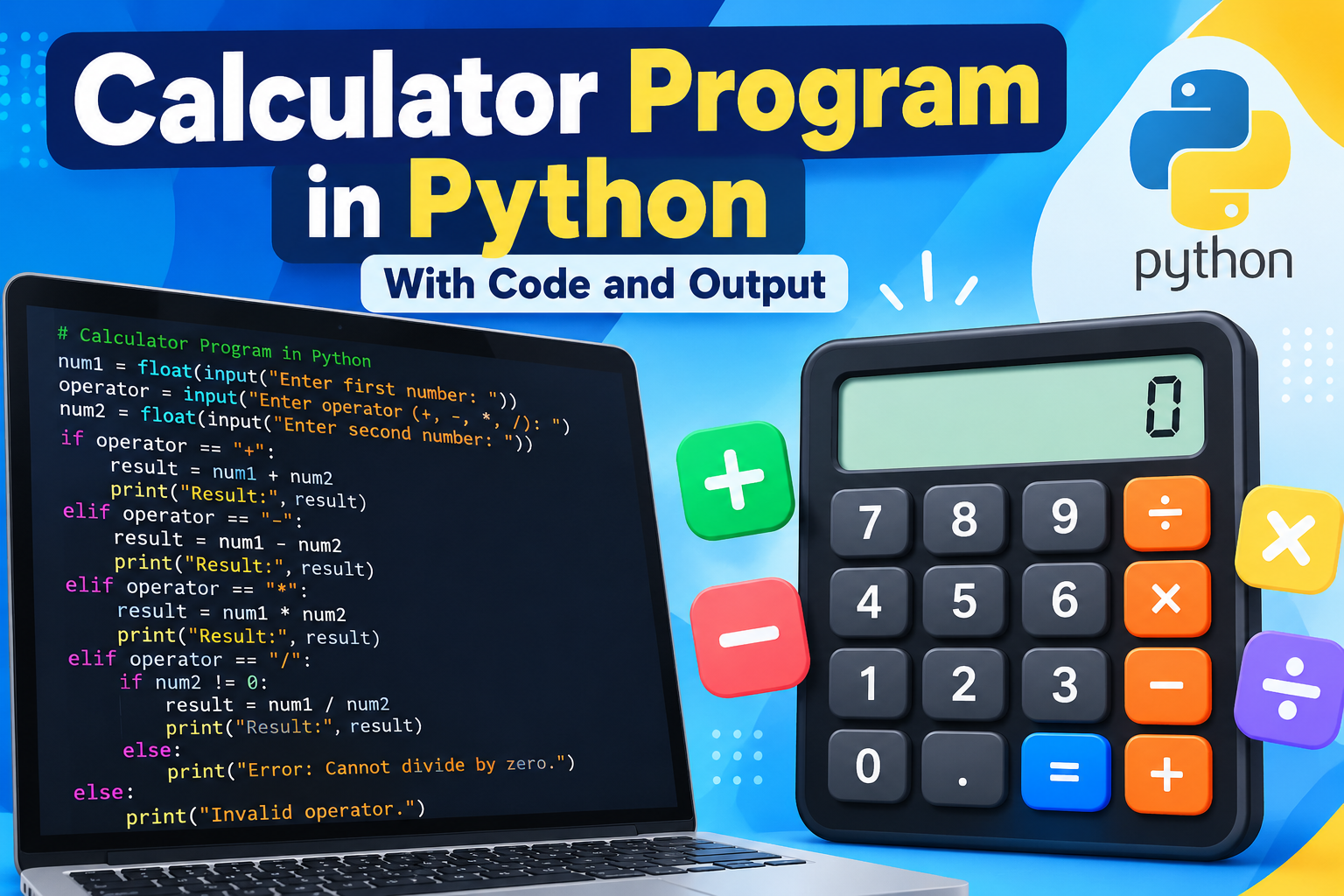
Here is a simple Python calculator program:
# Calculator Program in Pythonnum1 = float(input("Enter first number: "))operator = input("Enter operator (+, -, *, /): ")num2 = float(input("Enter second number: "))if operator == "+": result = num1 + num2 print("Result:", result)elif operator == "-": result = num1 - num2 print("Result:", result)elif operator == "*": result = num1 * num2 print("Result:", result)elif operator == "/": if num2 != 0: result = num1 / num2 print("Result:", result) else: print("Error: Cannot divide by zero.")else: print("Invalid operator.")Output
Example 1: Addition
Enter first number: 20
Enter operator (+, -, *, /): +
Enter second number: 10
Result: 30.0
Example 2: Subtraction
Enter first number: 50
Enter operator (+, -, *, /): -
Enter second number: 20
Result: 30.0
Example 3: Multiplication
Enter first number: 10
Enter operator (+, -, *, /): *
Enter second number: 5
Result: 50.0
Example 4: Division
Enter first number: 100
Enter operator (+, -, *, /): /
Enter second number: 4
Result: 25.0
How the Program Works
The program first asks the user to enter the first number.
num1 = float(input("Enter first number: "))The float() function allows the user to enter both whole numbers and decimal numbers.
Next, the program asks the user to select an operator:
operator = input("Enter operator (+, -, *, /): ")The second number is then entered:
num2 = float(input("Enter second number: "))The if-elif statements determine which mathematical operation should be performed.
For addition:
if operator == "+": result = num1 + num2For subtraction:
elif operator == "-": result = num1 - num2For multiplication:
elif operator == "*": result = num1 * num2For division:
elif operator == "/": result = num1 / num2The program also checks whether the user is trying to divide by zero.
if num2 != 0:This prevents a division-by-zero error.
Calculator Program Using Functions
A cleaner version can be created using functions:
def add(a, b): return a + bdef subtract(a, b): return a - bdef multiply(a, b): return a * bdef divide(a, b): if b == 0: return "Cannot divide by zero" return a / bnum1 = float(input("Enter first number: "))operator = input("Enter operator (+, -, *, /): ")num2 = float(input("Enter second number: "))if operator == "+": print("Result:", add(num1, num2))elif operator == "-": print("Result:", subtract(num1, num2))elif operator == "*": print("Result:", multiply(num1, num2))elif operator == "/": print("Result:", divide(num1, num2))Advantages of This Program
- Easy for beginners to understand
- Demonstrates Python operators
- Uses
input()andprint() - Demonstrates
if-elif-else - Can handle decimal numbers
- Handles division by zero
- Can be extended into a GUI calculator
Conclusion
The Calculator Program in Python is a useful beginner project for understanding basic Python programming concepts. After learning this program, students can extend it by adding percentage, modulus, power, square root, multiple calculations, loops, or a graphical user interface using Tkinter.