50+ Python Lab Programs for Practical Exams
A few words: Python lab exam is a significant subject matter related to student programming courses. All those students who have been trained in Python theory, but face trouble while writing programs during practical exams. Common Python lab programs are the best way to prepare before the exam.
50+ Simple Python Lab programs for practical exams with code and output is published by Kuntal Gupta. The covers basics of python, operators, conditional statements, loops, numbers, string lists tuples dictionaries functions patterns search and sort.
These python lab programs are also helpful for B.Tech students, computer science students, AIML students, diploma students as well as beginners to practice programming.
Why Practice Python Lab Programs?
Theory is different from practice. Writing programs by yourself teaches you syntax in python and learn how programming concepts are related.
Regular practice helps you:
Understand Python syntax
Improve logical thinking
Write programs faster
Find and fix errors
Prepare for practical exams
Prepare for viva questions
Improve coding confidence
Understand programming concepts
And most importantly, write the programs without looking at the solution before your practical exam.
1. Hello World Program
The Hello World program is one of the simplest Python programs.
print("Hello World")
Output
Hello World
2. Add Two Numbers
a = 10
b = 20

sum = a + b

print("Sum =", sum)
Output
Sum = 30
3. Subtract Two Numbers
a = 50
b = 20

result = a - b

print("Difference =", result)
Output
Difference = 30
4. Multiply Two Numbers
a = 10
b = 5

result = a * b

print("Product =", result)
Output
Product = 50
5. Divide Two Numbers
a = 20
b = 5

result = a / b

print("Division =", result)
Output
Division = 4.0
6. Check Even or Odd
This is one of the most common beginner-level Python lab programs.
number = 15

if number % 2 == 0:
    print("Even")
else:
    print("Odd")
Output
Odd
The % operator returns the remainder. If the remainder is zero after dividing by 2, the number is even.
7. Check Positive, Negative or Zero
number = -10

if number > 0:
    print("Positive")
elif number < 0:
    print("Negative")
else:
    print("Zero")
Output
Negative
8. Find Largest of Two Numbers
a = 25
b = 40

if a > b:
    print("Largest =", a)
else:
    print("Largest =", b)
Output
Largest = 40
9. Find Largest of Three Numbers
a = 10
b = 50
c = 30

if a > b and a > c:
    largest = a
elif b > c:
    largest = b
else:
    largest = c

print("Largest =", largest)
Output
Largest = 50
10. Check Leap Year
year = 2024

if year % 400 == 0 or (year % 4 == 0 and year % 100 != 0):
    print("Leap Year")
else:
    print("Not a Leap Year")
Output
Leap Year
11. Simple Calculator
a = 20
b = 10
operator = "+"

if operator == "+":
    print("Result =", a + b)
elif operator == "-":
    print("Result =", a - b)
elif operator == "*":
    print("Result =", a * b)
elif operator == "/":
    print("Result =", a / b)
else:
    print("Invalid operator")
Output
Result = 30
12. Print Numbers from 1 to 10
for i in range(1, 11):
    print(i, end=" ")
Output
1 2 3 4 5 6 7 8 9 10
13. Print Even Numbers
for i in range(2, 21, 2):
    print(i, end=" ")
Output
2 4 6 8 10 12 14 16 18 20
14. Print Odd Numbers
for i in range(1, 20, 2):
    print(i, end=" ")
Output
1 3 5 7 9 11 13 15 17 19
15. Multiplication Table
number = 5

for i in range(1, 11):
    print(number, "x", i, "=", number * i)
Output
5 x 1 = 5
5 x 2 = 10
5 x 3 = 15
5 x 4 = 20
5 x 5 = 25
5 x 6 = 30
5 x 7 = 35
5 x 8 = 40
5 x 9 = 45
5 x 10 = 50
16. Sum of Natural Numbers
total = 0

for i in range(1, 11):
    total += i

print("Sum =", total)
Output
Sum = 55
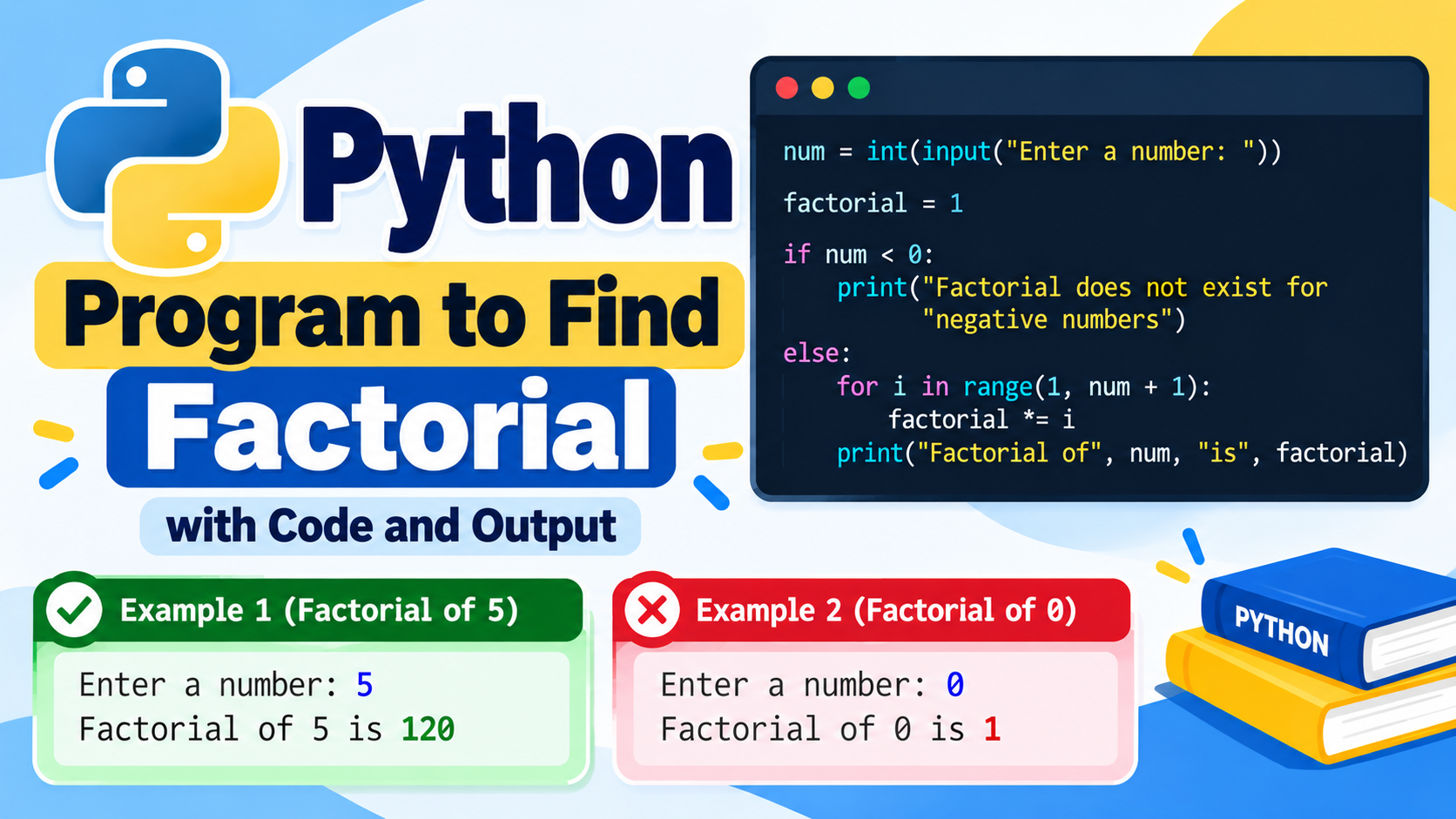
17. Factorial of a Number
number = 5
factorial = 1

for i in range(1, number + 1):
    factorial *= i

print("Factorial =", factorial)
Output
Factorial = 120
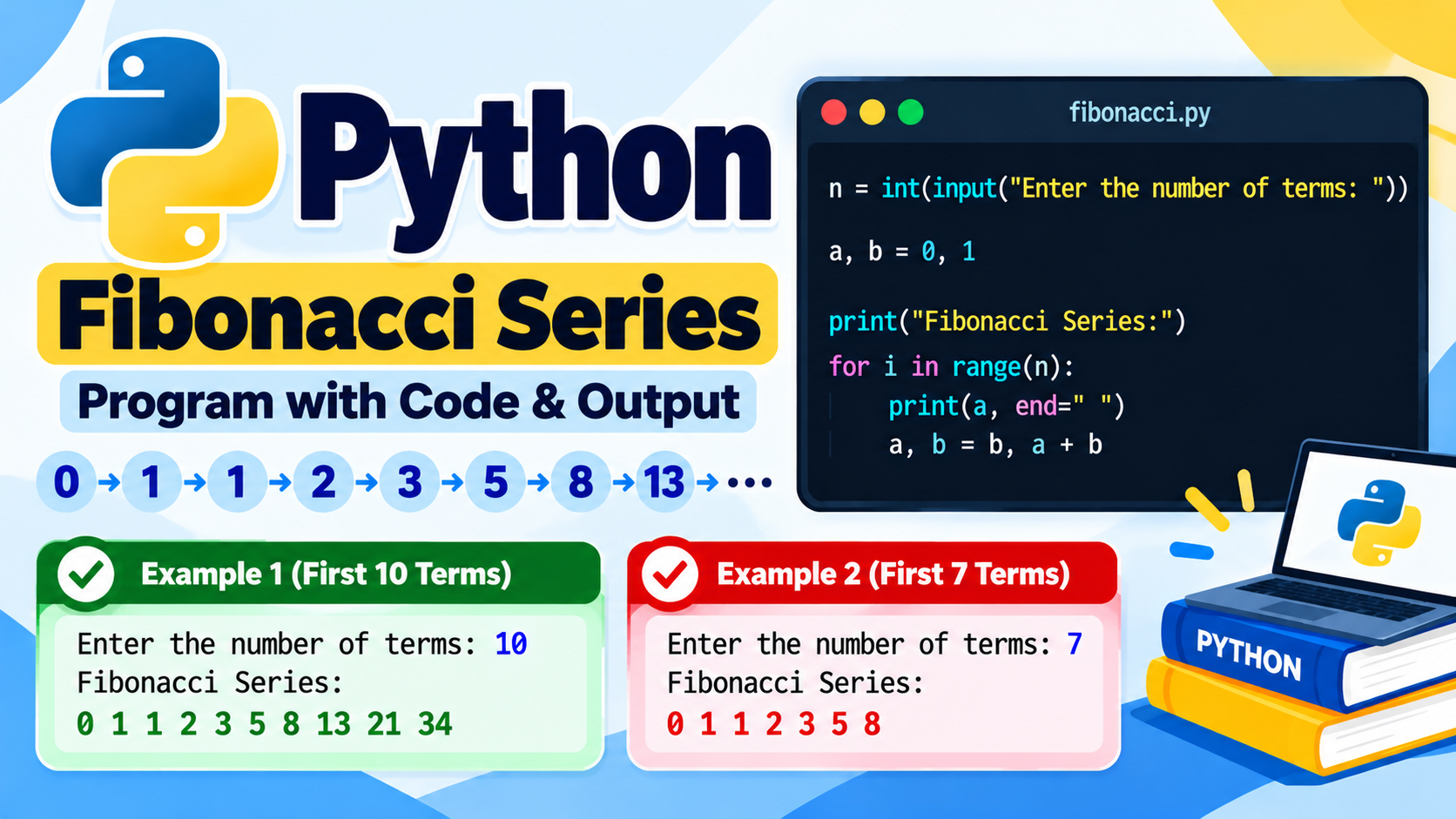
18. Fibonacci Series
a = 0
b = 1

for i in range(10):
    print(a, end=" ")
    a, b = b, a + b
Output
0 1 1 2 3 5 8 13 21 34
19. Reverse a Number
number = 12345
reverse = 0

while number > 0:
    digit = number % 10
    reverse = reverse * 10 + digit
    number //= 10

print("Reverse =", reverse)
Output
Reverse = 54321
20. Sum of Digits
number = 12345
total = 0

while number > 0:
    total += number % 10
    number //= 10

print("Sum =", total)
Output
Sum = 15
21. Count Digits
number = 123456
count = 0

while number > 0:
    count += 1
    number //= 10

print("Digits =", count)
Output
Digits = 6
22. Check Prime Number
number = 17
is_prime = True

if number < 2:
    is_prime = False

for i in range(2, int(number ** 0.5) + 1):
    if number % i == 0:
        is_prime = False
        break

if is_prime:
    print("Prime Number")
else:
    print("Not a Prime Number")
Output
Prime Number
23. Print Prime Numbers
for number in range(2, 51):

    is_prime = True

    for i in range(2, int(number ** 0.5) + 1):

        if number % i == 0:
            is_prime = False
            break

    if is_prime:
        print(number, end=" ")
Output
2 3 5 7 11 13 17 19 23 29 31 37 41 43 47
24. Check Palindrome Number
number = 121

if str(number) == str(number)[::-1]:
    print("Palindrome")
else:
    print("Not Palindrome")
Output
Palindrome
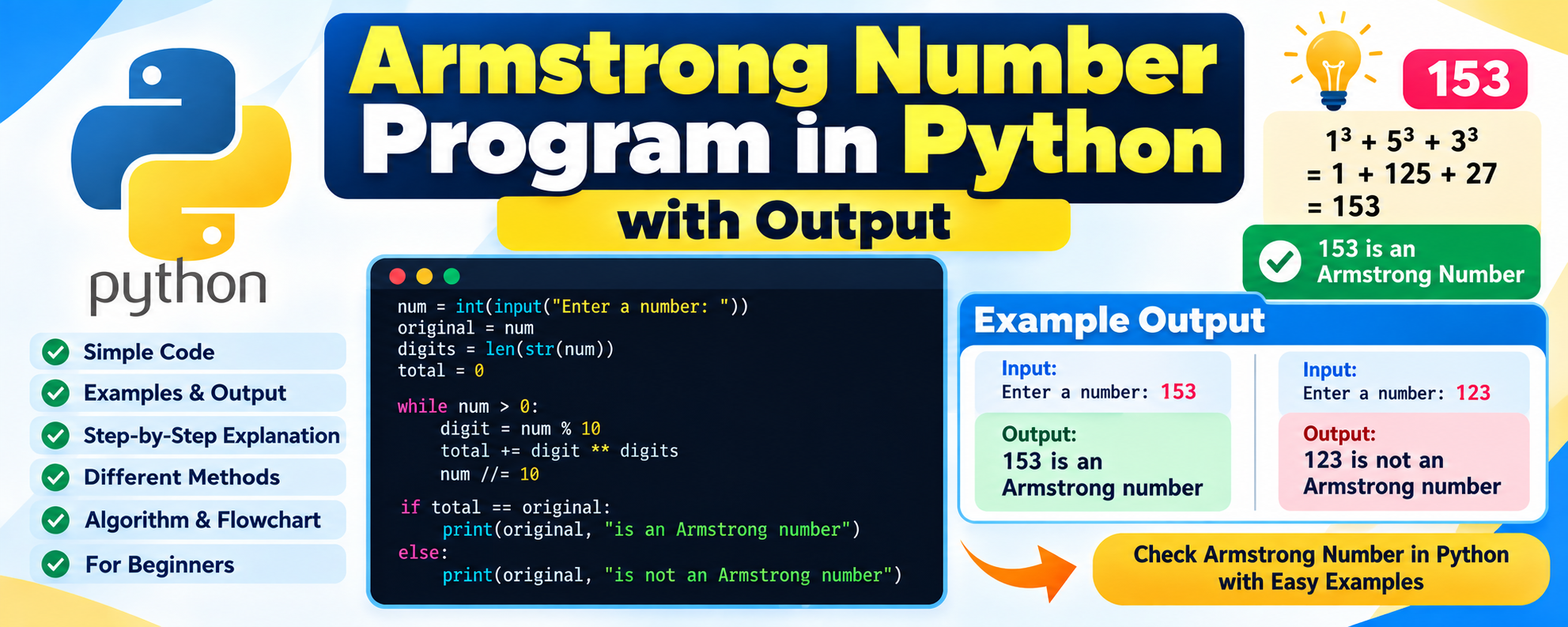
25. Armstrong Number
number = 153

digits = str(number)

total = sum(int(digit) ** len(digits) for digit in digits)

if total == number:
    print("Armstrong Number")
else:
    print("Not Armstrong Number")
Output
Armstrong Number
26. Find GCD
import math

a = 24
b = 36

print("GCD =", math.gcd(a, b))
Output
GCD = 12
27. Find LCM
import math

a = 12
b = 18

lcm = abs(a * b) // math.gcd(a, b)

print("LCM =", lcm)
Output
LCM = 36
28. Reverse a String
text = "Python"

print(text[::-1])
Output
nohtyP
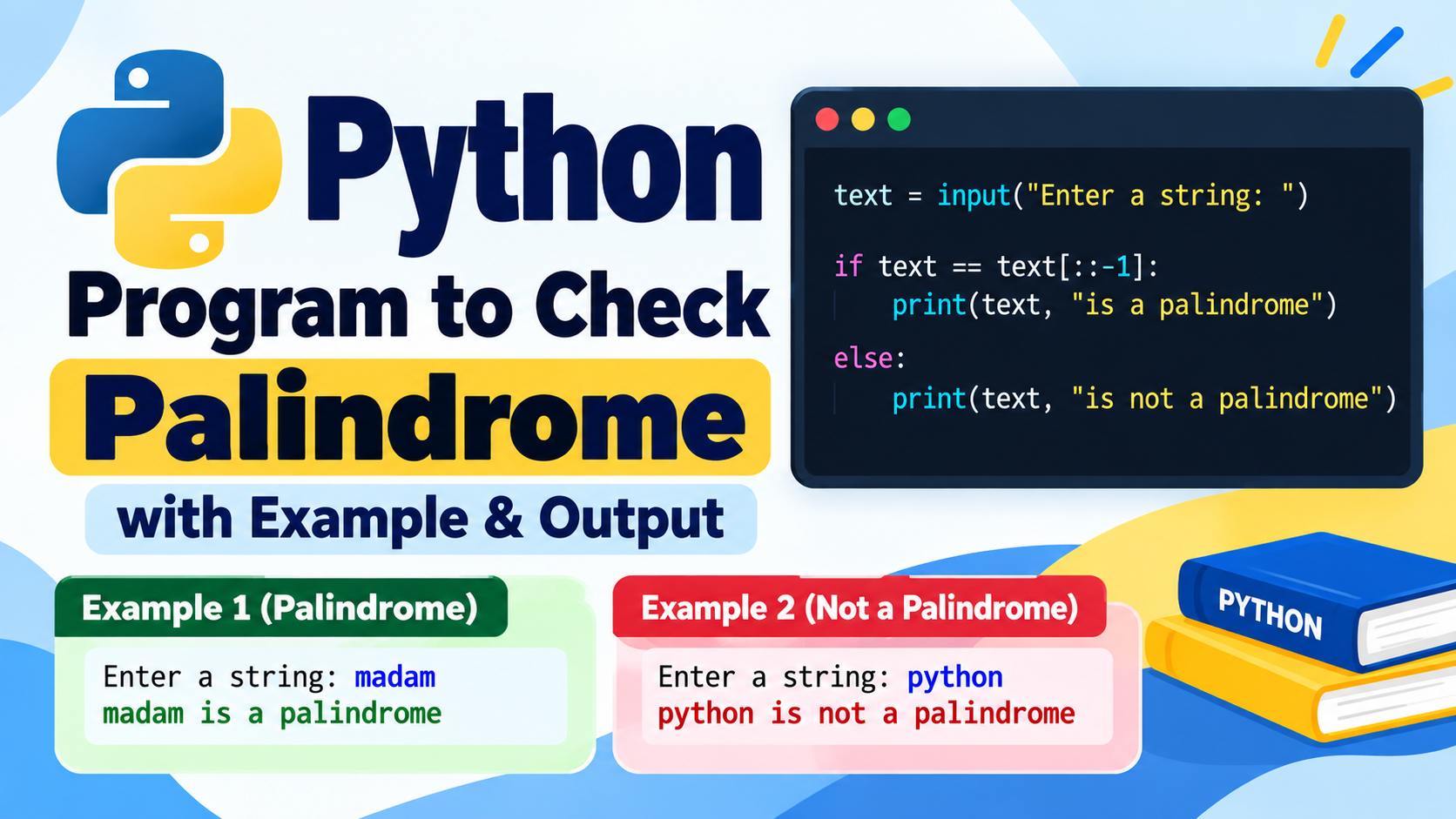
29. Check String Palindrome
text = "madam"

if text == text[::-1]:
    print("Palindrome")
else:
    print("Not Palindrome")
Output
Palindrome
30. Count Vowels
text = "Python Programming"
count = 0

for char in text.lower():

    if char in "aeiou":
        count += 1

print("Vowels =", count)
Output
Vowels = 4
31. Convert String to Uppercase
text = "python programming"

print(text.upper())
Output
PYTHON PROGRAMMING
32. Find String Length
text = "Python"

print("Length =", len(text))
Output
Length = 6
33. Find Largest Element in a List
numbers = [10, 45, 23, 67, 12]

print("Largest =", max(numbers))
Output
Largest = 67
34. Find Smallest Element in a List
numbers = [10, 45, 23, 67, 12]

print("Smallest =", min(numbers))
Output
Smallest = 10
35. Find Sum of List Elements
numbers = [10, 20, 30, 40, 50]

print("Sum =", sum(numbers))
Output
Sum = 150
36. Sort a List
numbers = [50, 20, 40, 10, 30]

numbers.sort()

print(numbers)
Output
[10, 20, 30, 40, 50]
37. Remove Duplicate Elements
numbers = [1, 2, 2, 3, 3, 4]

unique = list(set(numbers))

print(unique)
Output
[1, 2, 3, 4]
The order may vary because sets are unordered.
38. Search an Element
numbers = [10, 20, 30, 40, 50]
target = 30

if target in numbers:
    print("Element Found")
else:
    print("Element Not Found")
Output
Element Found
39. Find Second Largest Number
numbers = [10, 20, 50, 40, 30]

numbers = list(set(numbers))
numbers.sort()

print("Second Largest =", numbers[-2])
Output
Second Largest = 40
40. Tuple Example
numbers = (10, 20, 30, 40)

print(numbers)
print(numbers[1])
Output
(10, 20, 30, 40)
20
41. Dictionary Example
student = {
    "name": "Rahul",
    "age": 20,
    "course": "B.Tech"
}

print(student["name"])
print(student["course"])
Output
Rahul
B.Tech
42. Set Union
a = {1, 2, 3}
b = {3, 4, 5}

print(a | b)
Output
{1, 2, 3, 4, 5}
43. Set Intersection
a = {1, 2, 3}
b = {2, 3, 4}

print(a & b)
Output
{2, 3}
44. Function to Add Two Numbers
def add(a, b):
    return a + b

print("Sum =", add(10, 20))
Output
Sum = 30
45. Function to Check Even Number
def is_even(number):
    return number % 2 == 0

print(is_even(10))
Output
True
46. Factorial Using Recursion
def factorial(n):

    if n == 0:
        return 1

    return n * factorial(n - 1)

print(factorial(5))
Output
120
47. Star Pattern
Pattern programs are commonly used to practice nested loops.
for i in range(1, 6):
    print("*" * i)
Output
*
**
***
****
*****
48. Number Pattern
for i in range(1, 6):

    for j in range(1, i + 1):
        print(j, end=" ")

    print()
Output
1
1 2
1 2 3
1 2 3 4
1 2 3 4 5
49. Bubble Sort
Bubble Sort compares neighboring elements and places them in the correct order.
numbers = [5, 3, 8, 1, 2]

for i in range(len(numbers)):

    for j in range(0, len(numbers) - i - 1):

        if numbers[j] > numbers[j + 1]:
            numbers[j], numbers[j + 1] = numbers[j + 1], numbers[j]

print(numbers)
Output
[1, 2, 3, 5, 8]
50. Linear Search
numbers = [10, 20, 30, 40, 50]
target = 40

found = False

for number in numbers:

    if number == target:
        found = True
        break

if found:
    print("Element Found")
else:
    print("Element Not Found")
Output
Element Found
51. Celsius to Fahrenheit
celsius = 30

fahrenheit = (celsius * 9 / 5) + 32

print("Fahrenheit =", fahrenheit)
Output
Fahrenheit = 86.0
52. Fahrenheit to Celsius
fahrenheit = 86

celsius = (fahrenheit - 32) * 5 / 9

print("Celsius =", celsius)
Output
Celsius = 30.0
53. Find Average of List
numbers = [10, 20, 30, 40, 50]

average = sum(numbers) / len(numbers)

print("Average =", average)
Output
Average = 30.0
54. Generate Random Number
import random

number = random.randint(1, 10)

print("Random Number =", number)
Sample Output
Random Number = 7
The output may be different each time because the number is generated randomly.
55. Create a Simple Class
class Student:

    def display(self):
        print("I am a student")

student = Student()

student.display()
Output
I am a student
Important Python Lab Topics for Practical Exams
When preparing for a Python practical examination, focus on the following topics:
Basic Python
- Variables
- Data types
- Input and output
- Operators
- Type conversion
Conditional Statements
ifif-elseif-elif-else- Nested conditions
Loops
forwhilebreakcontinuerange()
Number Programs
- Even or odd
- Prime number
- Factorial
- Fibonacci
- Palindrome
- Armstrong number
- GCD
- LCM
- Reverse number
- Sum of digits
String Programs
- Reverse string
- Palindrome
- Vowel counting
- String length
- Case conversion
- Character counting
Data Structures
Practice:
- Lists
- Tuples
- Sets
- Dictionaries
Functions
Understand:
- Function definition
- Parameters
- Arguments
- Return values
- Recursive functions
Algorithms
Students should also practice basic:
- Searching
- Sorting
- Linear Search
- Bubble Sort
How to Prepare for a Python Practical Exam
A simple preparation method can save a lot of time before the practical examination.
Step 1: Learn the Syntax
Understand basic Python syntax first.
Step 2: Practice Basic Programs
Start with addition, subtraction, even/odd, largest number, and other simple programs.
Step 3: Practice Loops
Learn how to use for and while loops.
Step 4: Practice Number Programs
Practice factorial, Fibonacci, prime, palindrome, Armstrong, and other number programs.
Step 5: Practice Data Structures
Learn common operations on lists, tuples, sets, and dictionaries.
Step 6: Practice Functions
Write programs using functions and return values.
Step 7: Practice Without Notes
Before the exam, select random problems and try to write the complete program without checking your notes.
Common Mistakes in Python Lab Exams
Students often lose time because of small coding mistakes.
Some common mistakes are:
- Incorrect indentation
- Missing colon
: - Incorrect variable names
- Forgetting brackets
- Using the wrong operator
- Incorrect loop range
- Mixing strings and numbers
- Forgetting to convert input using
int()orfloat() - Using the wrong indentation level
For example:
if number > 10:
print(number)
This produces an indentation problem.
The correct version is:
if number > 10:
    print(number)
Tips to Score Better in Python Practical Exams
Understand the Question First
Read the question carefully before starting the program.
Write the Logic
Think about the steps needed to solve the problem.
Use Meaningful Variables
Instead of confusing variable names, use names such as:
number
total
average
largest
count
Test Your Program
Run the program with sample values and check the output.
Don’t Panic About Errors
Read the error message carefully. Python usually tells you which line has a problem.
Practice Common Programs
Programs such as factorial, Fibonacci, prime numbers, palindrome, Armstrong number, sorting, and searching are good exercises for improving programming logic.
Frequently Asked Questions
What are Python lab programs?
Python lab programs are practical coding exercises used to help students learn and demonstrate Python programming concepts.
Are these programs useful for practical exams?
Yes. These programs cover common beginner-level Python concepts that are useful for laboratory practice and programming assignments.
Who can practice these Python programs?
B.Tech students, diploma students, computer science students, AIML students, beginners, and anyone learning Python can practice these programs.
Can beginners understand these programs?
Yes. Most programs use simple Python syntax and are arranged from basic concepts to slightly more advanced topics.
Where can I run Python programs?
You can run them using Python IDLE, VS Code, PyCharm, Jupyter Notebook, Google Colab, or another Python environment.
Conclusion
Preparing for a Python practical exam becomes easier when you practice programs regularly. Instead of only studying theory, write the programs yourself and understand how each line works.
These 50+ Python lab programs for practical exams cover important topics such as variables, operators, conditional statements, loops, number programs, strings, lists, tuples, sets, dictionaries, functions, searching, sorting, and patterns.
Start with the basic programs and gradually move to more difficult problems. Try different inputs, modify the programs, and practice writing them without looking at the solution.
The main goal is not to memorize code. The goal is to understand the logic behind the program so that you can solve similar questions during your practical examination.
Keep practicing Python programs, test your code regularly, and build your confidence one program at a time.