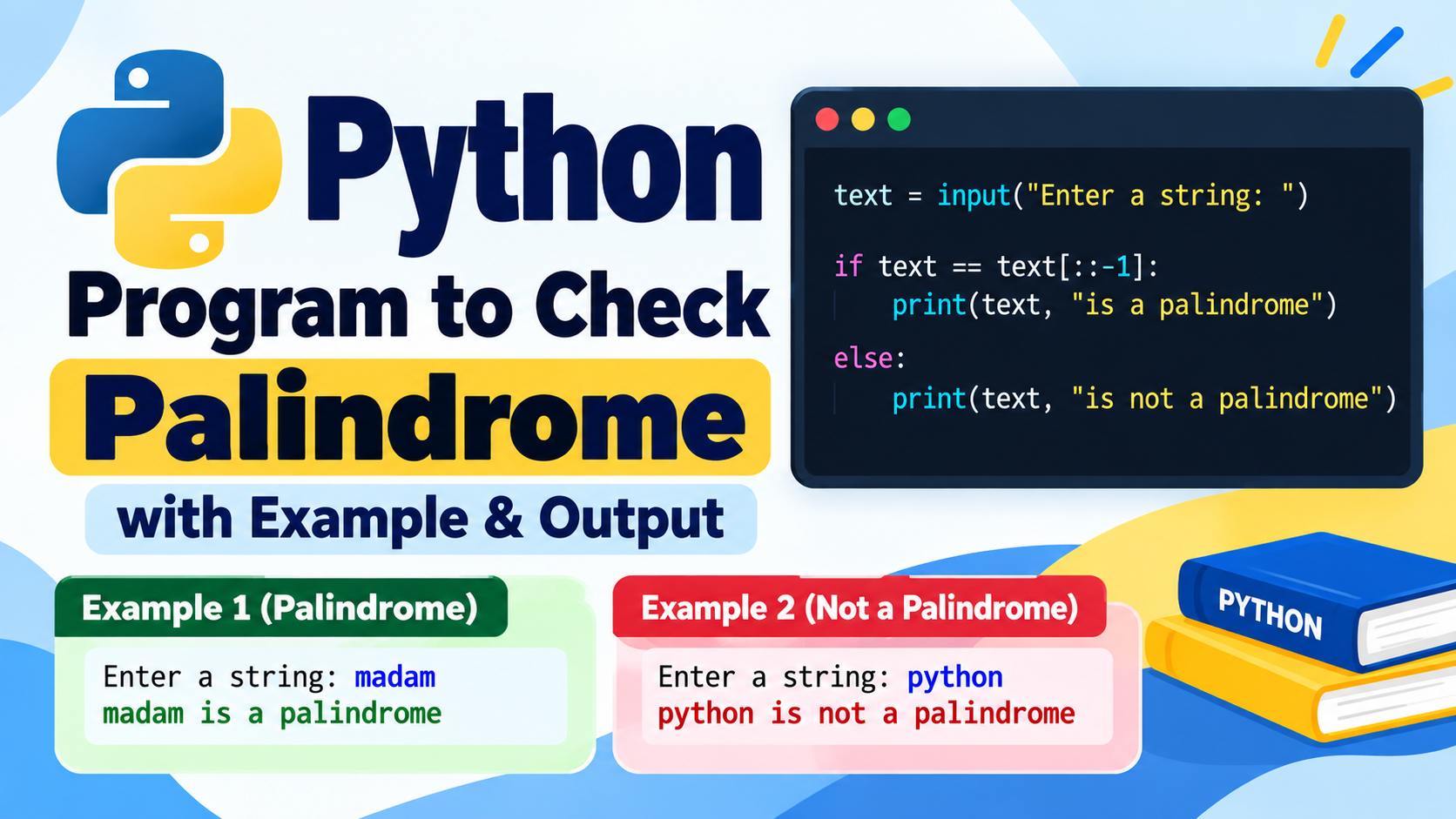
Python is one of the easiest and in-demand programming languages for beginner, college students, engineering student and future software developers. Python for beginners – If you are a beginner and learning Python, the best way is to implement small programs as it will help you in understanding variables, data-types, operators, conditional statements, loop, functions, strings, lists (array), tuples (Key:Value pair), dictionaries(key:value pairs), sets file handling etc.
This article consists of 100+ Python Programs with output which are helpful for beginners and students. These programs are sorted from basic level to intermediate level so that you can practice step by step.
These examples will help you to build your programming and Fundamentals whether you are preparing for B.Tech practical, Python lab exam, viva, coding test, assignments or entry level interviews.
Table of Contents
- Basic Python Programs
- Programs Using Operators
- Conditional Statement Programs
- Loop Programs
- Number Programs
- String Programs
- List Programs
- Tuple Programs
- Dictionary Programs
- Set Programs
- Function Programs
- Pattern Programs
- Searching and Sorting Programs
- Mathematical Programs
- Beginner Practice Programs
1. Basic Python Programs
1. Print Hello World
print("Hello World")
Output
Hello World
This is the simplest Python program. The print() function is used to display information on the screen.
2. Print Your Name
name = "Sai Charan"
print("My name is", name)
Output
My name is Sai Charan
3. Add Two Numbers
a = 10
b = 20

sum = a + b

print("Sum =", sum)
Output
Sum = 30
4. Take Input From User
name = input("Enter your name: ")

print("Hello", name)
Output
Enter your name: Rahul
Hello Rahul
5. Add Two User-Entered Numbers
a = int(input("Enter first number: "))
b = int(input("Enter second number: "))

print("Sum =", a + b)
Output
Enter first number: 15
Enter second number: 25
Sum = 40
6. Calculate Area of a Circle
radius = 5

area = 3.14 * radius * radius

print("Area =", area)
Output
Area = 78.5
7. Calculate Simple Interest
p = 10000
r = 5
t = 2

si = (p * r * t) / 100

print("Simple Interest =", si)
Output
Simple Interest = 1000.0
8. Swap Two Numbers
a = 10
b = 20

a, b = b, a

print("a =", a)
print("b =", b)
Output
a = 20
b = 10
9. Find Square of a Number
n = 8

print("Square =", n * n)
Output
Square = 64
10. Find Cube of a Number
n = 5

print("Cube =", n ** 3)
Output
Cube = 125
2. Python Programs Using Operators
11. Arithmetic Operations
a = 20
b = 5

print("Addition =", a + b)
print("Subtraction =", a - b)
print("Multiplication =", a * b)
print("Division =", a / b)
print("Floor Division =", a // b)
print("Modulus =", a % b)
print("Power =", a ** b)
Output
Addition = 25
Subtraction = 15
Multiplication = 100
Division = 4.0
Floor Division = 4
Modulus = 0
Power = 3200000
12. Check Even or Odd
n = int(input("Enter a number: "))

if n % 2 == 0:
    print("Even")
else:
    print("Odd")
Output
Enter a number: 12
Even
13. Find Largest of Two Numbers
a = 25
b = 15

if a > b:
    print("Largest =", a)
else:
    print("Largest =", b)
Output
Largest = 25
14. Find Largest of Three Numbers
a = 10
b = 25
c = 15

if a > b and a > c:
    print(a)
elif b > c:
    print(b)
else:
    print(c)
Output
25
15. Check Positive, Negative or Zero
n = -10

if n > 0:
    print("Positive")
elif n < 0:
    print("Negative")
else:
    print("Zero")
Output
Negative
3. Conditional Statement Programs
16. Check Voting Eligibility
age = 20

if age >= 18:
    print("Eligible to vote")
else:
    print("Not eligible to vote")
Output
Eligible to vote
17. Check Leap Year
year = 2024

if year % 400 == 0 or (year % 4 == 0 and year % 100 != 0):
    print("Leap Year")
else:
    print("Not a Leap Year")
Output
Leap Year
18. Check Divisibility by 5
n = 25

if n % 5 == 0:
    print("Divisible by 5")
else:
    print("Not divisible by 5")
Output
Divisible by 5
19. Find Grade
marks = 85

if marks >= 90:
    print("A+")
elif marks >= 80:
    print("A")
elif marks >= 70:
    print("B")
elif marks >= 60:
    print("C")
else:
    print("Fail")
Output
A
20. Simple Calculator
a = 20
b = 10
operator = "+"

if operator == "+":
    print(a + b)
elif operator == "-":
    print(a - b)
elif operator == "*":
    print(a * b)
elif operator == "/":
    print(a / b)
Output
30
4. Python Loop Programs
Loops are used when we need to execute a block of code repeatedly. Python mainly provides for and while loops.
21. Print Numbers from 1 to 10
for i in range(1, 11):
    print(i)
Output
1
2
3
4
5
6
7
8
9
10
22. Print Even Numbers
for i in range(2, 21, 2):
    print(i)
Output
2
4
6
8
10
12
14
16
18
20
23. Print Odd Numbers
for i in range(1, 20, 2):
    print(i)
Output
1
3
5
7
9
11
13
15
17
19
24. Multiplication Table
n = 5

for i in range(1, 11):
    print(n, "x", i, "=", n * i)
Output
5 x 1 = 5
5 x 2 = 10
5 x 3 = 15
5 x 4 = 20
5 x 5 = 25
5 x 6 = 30
5 x 7 = 35
5 x 8 = 40
5 x 9 = 45
5 x 10 = 50
25. Sum of First 10 Natural Numbers
total = 0

for i in range(1, 11):
    total += i

print("Sum =", total)
Output
Sum = 55
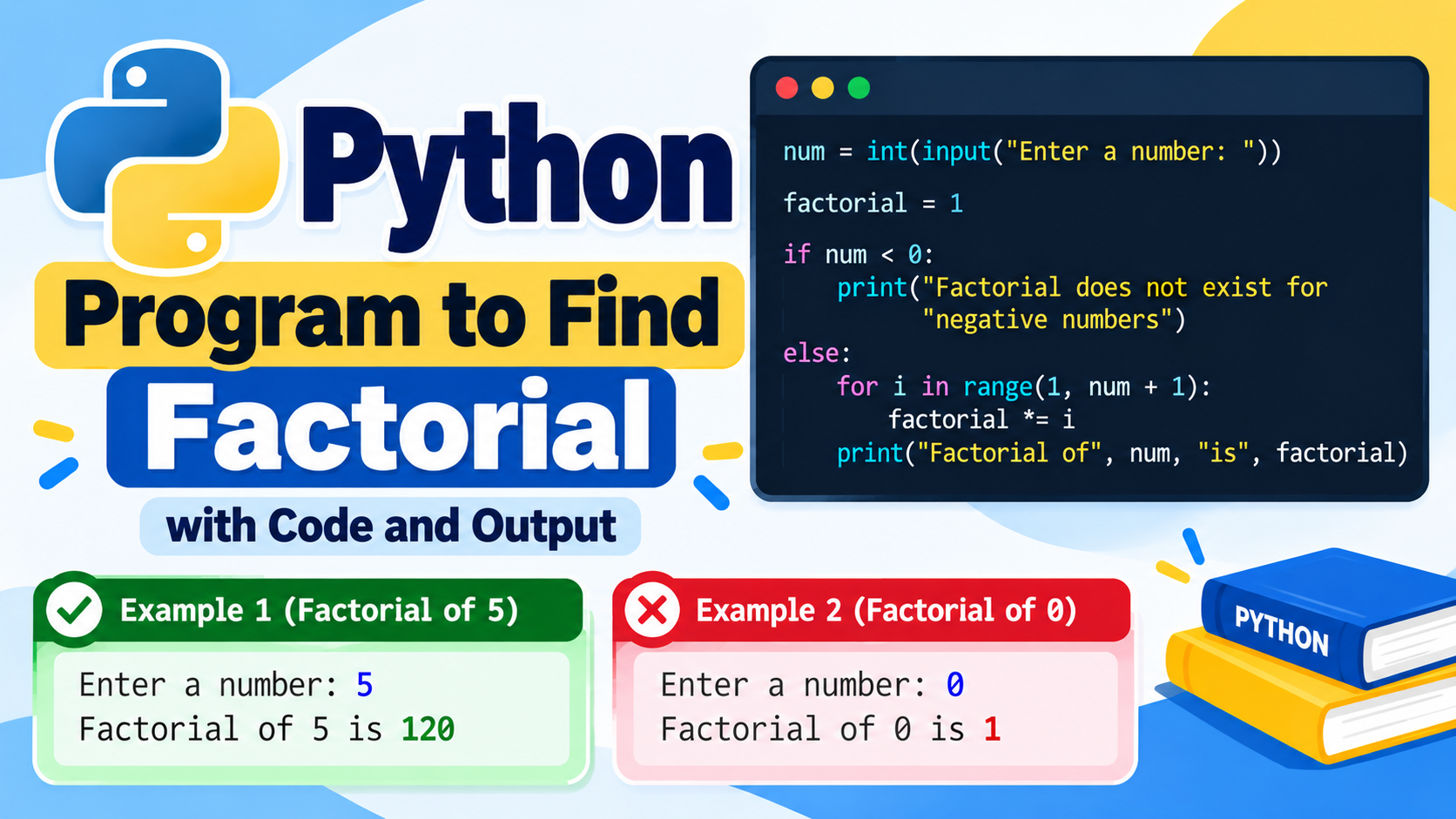
26. Factorial of a Number
n = 5
fact = 1

for i in range(1, n + 1):
    fact *= i

print("Factorial =", fact)
Output
Factorial = 120
27. Reverse a Number
n = 12345
reverse = 0

while n > 0:
    digit = n % 10
    reverse = reverse * 10 + digit
    n //= 10

print("Reverse =", reverse)
Output
Reverse = 54321
28. Count Digits
n = 123456
count = 0

while n > 0:
    count += 1
    n //= 10

print("Digits =", count)
Output
Digits = 6
29. Sum of Digits
n = 12345
total = 0

while n > 0:
    total += n % 10
    n //= 10

print("Sum =", total)
Output
Sum = 15
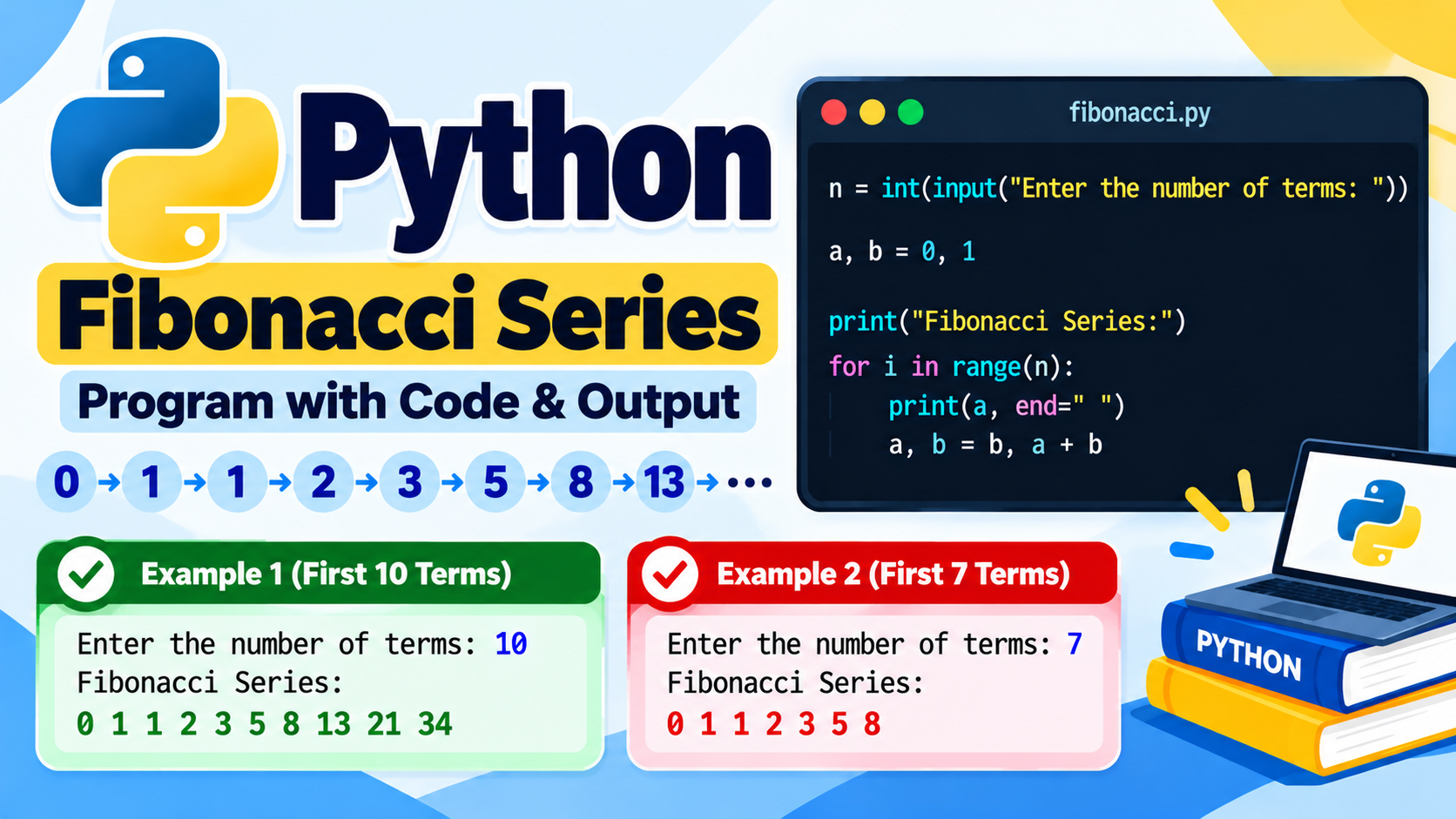
30. Fibonacci Series
a = 0
b = 1

for i in range(10):
    print(a, end=" ")
    a, b = b, a + b
Output
0 1 1 2 3 5 8 13 21 34
5. Number Programs
31. Check Prime Number
n = 17
prime = True

if n < 2:
    prime = False

for i in range(2, int(n ** 0.5) + 1):
    if n % i == 0:
        prime = False
        break

if prime:
    print("Prime")
else:
    print("Not Prime")
Output
Prime
32. Print Prime Numbers from 1 to 50
for n in range(2, 51):
    prime = True

    for i in range(2, int(n ** 0.5) + 1):
        if n % i == 0:
            prime = False
            break

    if prime:
        print(n, end=" ")
Output
2 3 5 7 11 13 17 19 23 29 31 37 41 43 47
33. Check Palindrome Number
n = 121

if str(n) == str(n)[::-1]:
    print("Palindrome")
else:
    print("Not Palindrome")
Output
Palindrome
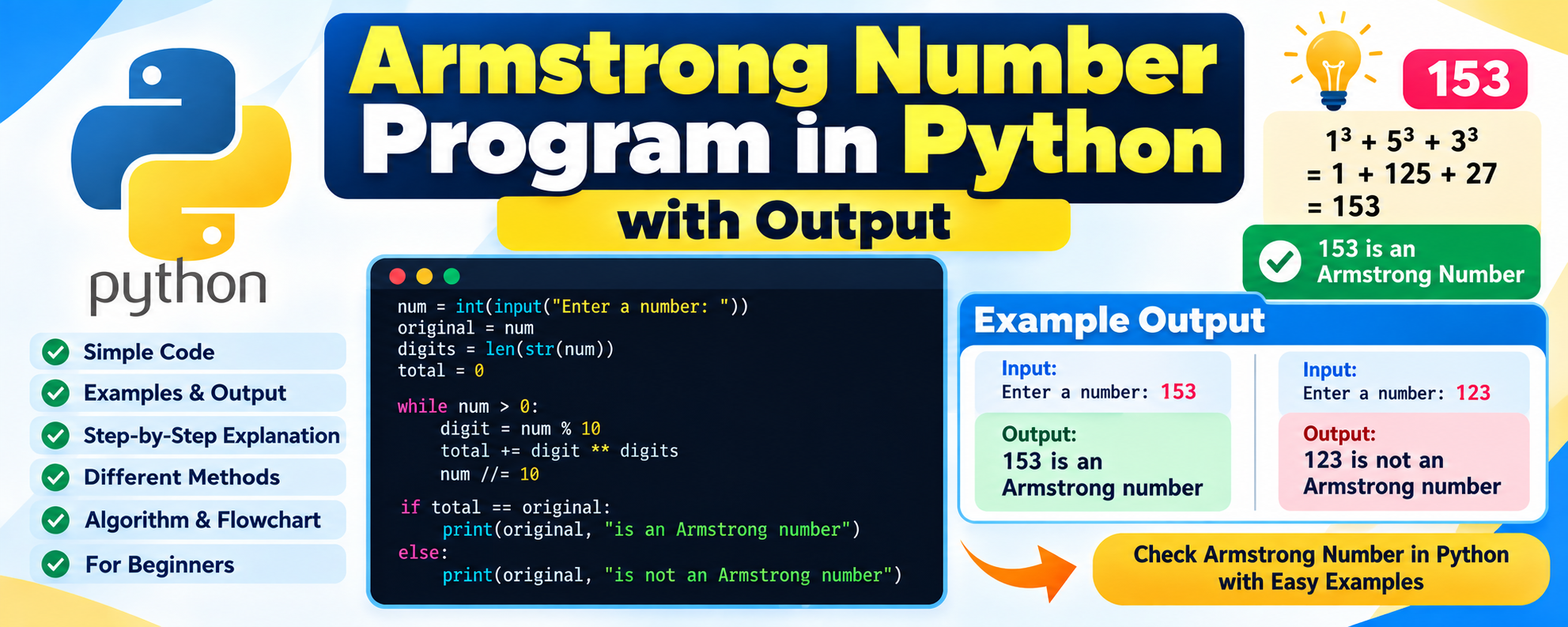
34. Armstrong Number
n = 153

digits = str(n)
total = sum(int(digit) ** len(digits) for digit in digits)

if total == n:
    print("Armstrong Number")
else:
    print("Not Armstrong Number")
Output
Armstrong Number
35. Find GCD
import math

a = 24
b = 36

print("GCD =", math.gcd(a, b))
Output
GCD = 12
36. Find LCM
import math

a = 12
b = 18

lcm = abs(a * b) // math.gcd(a, b)

print("LCM =", lcm)
Output
LCM = 36
6. Python String Programs
Strings are used to store text. Python provides many useful operations for working with strings.
37. Print String
text = "Python Programming"

print(text)
Output
Python Programming
38. Find String Length
text = "Python"

print("Length =", len(text))
Output
Length = 6
39. Reverse a String
text = "Python"

print(text[::-1])
Output
nohtyP
40. Check String Palindrome
text = "madam"

if text == text[::-1]:
    print("Palindrome")
else:
    print("Not Palindrome")
Output
Palindrome
41. Count Vowels
text = "Python Programming"
count = 0

for char in text.lower():
    if char in "aeiou":
        count += 1

print("Vowels =", count)
Output
Vowels = 4
42. Convert to Uppercase
text = "python programming"

print(text.upper())
Output
PYTHON PROGRAMMING
43. Convert to Lowercase
text = "PYTHON PROGRAMMING"

print(text.lower())
Output
python programming
44. Count Words
text = "Python is easy to learn"

words = text.split()

print("Words =", len(words))
Output
Words = 5
45. Count Character Occurrence
text = "banana"

print(text.count("a"))
Output
3
7. Python List Programs
Lists are one of the most commonly used data structures in Python. A list can store multiple values in a single variable.
46. Create a List
numbers = [10, 20, 30, 40, 50]

print(numbers)
Output
[10, 20, 30, 40, 50]
47. Find Largest Element
numbers = [10, 45, 23, 67, 12]

print("Largest =", max(numbers))
Output
Largest = 67
48. Find Smallest Element
numbers = [10, 45, 23, 67, 12]

print("Smallest =", min(numbers))
Output
Smallest = 10
49. Find Sum of List
numbers = [10, 20, 30, 40]

print("Sum =", sum(numbers))
Output
Sum = 100
50. Sort a List
numbers = [50, 10, 40, 20, 30]

numbers.sort()

print(numbers)
Output
[10, 20, 30, 40, 50]
51. Reverse a List
numbers = [1, 2, 3, 4, 5]

numbers.reverse()

print(numbers)
Output
[5, 4, 3, 2, 1]
52. Remove Duplicates
numbers = [1, 2, 2, 3, 3, 4]

unique = list(set(numbers))

print(unique)
Output
[1, 2, 3, 4]
8. Tuple Programs
53. Create a Tuple
numbers = (10, 20, 30, 40)

print(numbers)
Output
(10, 20, 30, 40)
54. Access Tuple Element
numbers = (10, 20, 30)

print(numbers[1])
Output
20
55. Find Tuple Length
numbers = (10, 20, 30, 40, 50)

print(len(numbers))
Output
5
9. Dictionary Programs
Dictionaries store data in key-value pairs.
56. Create Dictionary
student = {
    "name": "Rahul",
    "age": 20,
    "course": "B.Tech"
}

print(student)
Output
{'name': 'Rahul', 'age': 20, 'course': 'B.Tech'}
57. Access Dictionary Value
student = {
    "name": "Rahul",
    "age": 20
}

print(student["name"])
Output
Rahul
58. Add Dictionary Item
student = {
    "name": "Rahul"
}

student["age"] = 20

print(student)
Output
{'name': 'Rahul', 'age': 20}
59. Loop Through Dictionary
student = {
    "name": "Rahul",
    "age": 20
}

for key, value in student.items():
    print(key, ":", value)
Output
name : Rahul
age : 20
10. Set Programs
60. Create a Set
numbers = {1, 2, 3, 4, 5}

print(numbers)
Output
{1, 2, 3, 4, 5}
61. Set Union
a = {1, 2, 3}
b = {3, 4, 5}

print(a | b)
Output
{1, 2, 3, 4, 5}
62. Set Intersection
a = {1, 2, 3}
b = {2, 3, 4}

print(a & b)
Output
{2, 3}
11. Python Function Programs
Functions allow us to organize reusable blocks of code.
63. Simple Function
def greet():
    print("Hello Python")

greet()
Output
Hello Python
64. Function With Parameter
def greet(name):
    print("Hello", name)

greet("Rahul")
Output
Hello Rahul
65. Function to Add Two Numbers
def add(a, b):
    return a + b

print(add(10, 20))
Output
30
66. Function to Check Even Number
def is_even(n):
    return n % 2 == 0

print(is_even(10))
Output
True
67. Recursive Factorial
def factorial(n):
    if n == 0:
        return 1
    return n * factorial(n - 1)

print(factorial(5))
Output
120
12. Python Pattern Programs
Pattern programs are frequently used in programming labs and beginner coding exercises.
68. Star Pattern
for i in range(1, 6):
    print("*" * i)
Output
*
**
***
****
*****
69. Number Pattern
for i in range(1, 6):
    print(str(i) * i)
Output
1
22
333
4444
55555
70. Increasing Number Pattern
for i in range(1, 6):
    for j in range(1, i + 1):
        print(j, end=" ")
    print()
Output
1
1 2
1 2 3
1 2 3 4
1 2 3 4 5
71. Square Star Pattern
for i in range(5):
    print("* " * 5)
Output
* * * * *
* * * * *
* * * * *
* * * * *
* * * * *
13. Searching and Sorting Programs
72. Linear Search
numbers = [10, 20, 30, 40, 50]
target = 30

if target in numbers:
    print("Element Found")
else:
    print("Element Not Found")
Output
Element Found
73. Binary Search
numbers = [10, 20, 30, 40, 50]
target = 40

low = 0
high = len(numbers) - 1

while low <= high:
    mid = (low + high) // 2

    if numbers[mid] == target:
        print("Element Found")
        break
    elif numbers[mid] < target:
        low = mid + 1
    else:
        high = mid - 1
Output
Element Found
74. Bubble Sort
numbers = [5, 3, 8, 1, 2]

for i in range(len(numbers)):
    for j in range(0, len(numbers) - i - 1):
        if numbers[j] > numbers[j + 1]:
            numbers[j], numbers[j + 1] = numbers[j + 1], numbers[j]

print(numbers)
Output
[1, 2, 3, 5, 8]
14. More Useful Beginner Python Programs
75. Find ASCII Value
char = 'A'

print(ord(char))
Output
65
76. Convert ASCII to Character
print(chr(65))
Output
A
77. Check Alphabet
char = 'A'

if char.isalpha():
    print("Alphabet")
else:
    print("Not Alphabet")
Output
Alphabet
78. Check Digit
char = '5'

if char.isdigit():
    print("Digit")
else:
    print("Not Digit")
Output
Digit
79. Remove Spaces From String
text = "Python Programming"

print(text.replace(" ", ""))
Output
PythonProgramming
80. Find Frequency of Characters
text = "hello"

for char in set(text):
    print(char, text.count(char))
Output
h 1
e 1
l 2
o 1
81. Merge Two Lists
a = [1, 2, 3]
b = [4, 5, 6]

print(a + b)
Output
[1, 2, 3, 4, 5, 6]
82. Find Common Elements
a = [1, 2, 3, 4]
b = [3, 4, 5, 6]

common = list(set(a) & set(b))

print(common)
Output
[3, 4]
83. Find Second Largest Number
numbers = [10, 20, 40, 30, 50]

numbers = list(set(numbers))
numbers.sort()

print("Second Largest =", numbers[-2])
Output
Second Largest = 40
84. Find Average of Numbers
numbers = [10, 20, 30, 40, 50]

average = sum(numbers) / len(numbers)

print("Average =", average)
Output
Average = 30.0
85. Find Median
numbers = [10, 20, 30, 40, 50]

numbers.sort()

middle = len(numbers) // 2

print("Median =", numbers[middle])
Output
Median = 30
86. Calculate Percentage
marks = [80, 75, 90, 85, 70]

percentage = sum(marks) / 5

print("Percentage =", percentage)
Output
Percentage = 80.0
87. Convert Celsius to Fahrenheit
celsius = 30

fahrenheit = (celsius * 9/5) + 32

print("Fahrenheit =", fahrenheit)
Output
Fahrenheit = 86.0
88. Convert Fahrenheit to Celsius
fahrenheit = 86

celsius = (fahrenheit - 32) * 5/9

print("Celsius =", celsius)
Output
Celsius = 30.0
89. Calculate BMI
weight = 60
height = 1.7

bmi = weight / (height ** 2)

print("BMI =", round(bmi, 2))
Output
BMI = 20.76
90. Generate Random Number
import random

number = random.randint(1, 10)

print("Random Number =", number)
Sample Output
Random Number = 7
The output may change because the number is randomly generated.
15. Python File Handling Programs
File handling is useful when a Python program needs to store or read information from files.
91. Create and Write a File
file = open("sample.txt", "w")

file.write("Hello Python")

file.close()

print("File created successfully")
Output
File created successfully
92. Read a File
file = open("sample.txt", "r")

content = file.read()

print(content)

file.close()
Output
Hello Python
93. Append Data to a File
file = open("sample.txt", "a")

file.write("\nPython is easy")

file.close()

print("Data added")
Output
Data added
16. Object-Oriented Programming Programs
94. Create a Class
class Student:
    def display(self):
        print("I am a student")

s = Student()

s.display()
Output
I am a student
95. Constructor Example
class Student:
    def __init__(self, name):
        self.name = name

    def display(self):
        print("Name:", self.name)

s = Student("Rahul")

s.display()
Output
Name: Rahul
96. Class With Multiple Attributes
class Student:
    def __init__(self, name, age):
        self.name = name
        self.age = age

student = Student("Rahul", 20)

print(student.name)
print(student.age)
Output
Rahul
20
97. Inheritance
class Animal:
    def speak(self):
        print("Animal speaks")

class Dog(Animal):
    pass

d = Dog()

d.speak()
Output
Animal speaks
98. Method Overriding
class Animal:
    def speak(self):
        print("Animal sound")

class Dog(Animal):
    def speak(self):
        print("Dog barks")

d = Dog()

d.speak()
Output
Dog barks
17. More Python Practice Programs
99. Find Factorial Using While Loop
n = 5
fact = 1

while n > 0:
    fact *= n
    n -= 1

print(fact)
Output
120
100. Print Numbers in Reverse
for i in range(10, 0, -1):
    print(i, end=" ")
Output
10 9 8 7 6 5 4 3 2 1
101. Find Sum of Even Numbers
total = 0

for i in range(1, 21):
    if i % 2 == 0:
        total += i

print("Sum =", total)
Output
Sum = 110
102. Find Sum of Odd Numbers
total = 0

for i in range(1, 21):
    if i % 2 != 0:
        total += i

print("Sum =", total)
Output
Sum = 100
103. Print Multiplication Tables
for n in range(1, 4):
    print("Table of", n)

    for i in range(1, 6):
        print(n, "x", i, "=", n * i)
Output
Table of 1
1 x 1 = 1
1 x 2 = 2
1 x 3 = 3
1 x 4 = 4
1 x 5 = 5
Table of 2
2 x 1 = 2
2 x 2 = 4
2 x 3 = 6
2 x 4 = 8
2 x 5 = 10
Table of 3
3 x 1 = 3
3 x 2 = 6
3 x 3 = 9
3 x 4 = 12
3 x 5 = 15
104. Find Maximum Without max()
numbers = [10, 50, 30, 80, 20]

largest = numbers[0]

for number in numbers:
    if number > largest:
        largest = number

print("Largest =", largest)
Output
Largest = 80
105. Find Minimum Without min()
numbers = [10, 50, 30, 80, 20]

smallest = numbers[0]

for number in numbers:
    if number < smallest:
        smallest = number

print("Smallest =", smallest)
Output
Smallest = 10
Why Should Students Practice Python Programs?
Learning Python only by reading theory is usually not enough. Programming requires regular practice. By writing and executing programs, students can understand how variables, operators, conditions, loops, functions, and data structures work.
These programs are especially useful for:
- Python beginners
- B.Tech students
- Computer Science students
- AIML students
- Diploma students
- Engineering lab practice
- Python practical examinations
- Coding assignments
- Viva preparation
- Beginner coding interviews
- Competitive programming beginners
Students should first understand the logic of a program and then try to write the program without looking at the solution.
How to Practice These Python Programs
A simple learning approach is to divide these programs into different levels.
Level 1 – Basic Programs
Start with:
- Hello World
- Variables
- Input and output
- Addition
- Arithmetic operations
- Area calculations
- Temperature conversion
Level 2 – Conditions
Next practice:
- Even or odd
- Positive or negative
- Largest number
- Grade calculation
- Leap year
- Voting eligibility
- Calculator
Level 3 – Loops
Then practice:
- Number series
- Tables
- Factorial
- Fibonacci
- Sum of numbers
- Reverse number
- Prime numbers
- Armstrong numbers
Level 4 – Data Structures
After loops, learn:
- Lists
- Tuples
- Sets
- Dictionaries
- Searching
- Sorting
- List operations
Level 5 – Functions and OOP
Finally practice:
- Functions
- Recursion
- Classes
- Objects
- Constructors
- Inheritance
- Method overriding
Tips for Python Beginners
1. Don’t Just Copy the Code
Typing and running a program is useful, but understanding the logic is more important.
2. Change the Input
For example, if a program uses 10, try:
25
100
-5
0
This helps you understand how your program behaves with different inputs.
3. Try to Modify the Program
If you learn an even-number program, modify it to print odd numbers. If you learn a maximum-number program, try creating a minimum-number program.
4. Understand Errors
Errors are a normal part of programming. Common beginner errors include:
- SyntaxError
- NameError
- TypeError
- ValueError
- IndexError
- IndentationError
Instead of being afraid of errors, read the error message and identify the line causing the problem.
5. Practice Every Day
Even 30 minutes of programming practice every day can help improve your problem-solving skills.
Frequently Asked Questions
Is Python easy for beginners?
Yes. Python has simple syntax and is widely used as a first programming language. Beginners can start with basic programs and gradually move to functions, data structures, and object-oriented programming.
How many Python programs should I practice?
There is no fixed number. However, practicing more programs with different types of logic can improve your programming fundamentals. The 100+ programs in this article provide a starting point.
Are these programs useful for B.Tech students?
Yes. Basic Python programs involving conditions, loops, strings, lists, functions, searching, sorting, and OOP are useful for programming practice and lab preparation.
Can I run these programs on my computer?
Yes. You can run Python programs using Python IDLE, VS Code, PyCharm, Jupyter Notebook, Google Colab, or other Python-supported environments.
Which Python topics should beginners learn first?
A useful order is:
Variables → Data Types → Operators → Input/Output → Conditions → Loops → Strings → Lists → Tuples → Sets → Dictionaries → Functions → File Handling → OOP.
Conclusion
Python programming becomes easier when you practice small programs regularly. The 100+ Python programs with output in this article cover many important concepts, starting from simple print() statements and arithmetic operations and moving toward loops, number problems, strings, lists, dictionaries, functions, searching, sorting, file handling, and object-oriented programming.
If you are a beginner, don’t try to memorize every program. Instead, understand the logic behind each example and practice writing the code yourself.
For students preparing for Python lab examinations, assignments, practicals, or beginner coding interviews, these programs can serve as a useful practice collection.
Start with the first 10 programs, run them yourself, change the inputs, and then gradually move toward the more advanced examples. With consistent practice, you can build a strong foundation in Python programming.